This article explains how the answers a candidate gives on your Refari forms, including a marketing or communications opt-in, can be recorded on their candidate record in JobAdder. A quick definition before we start: a screener question is an extra question a candidate answers as they apply or register (beyond the standard name, email and resume fields), and the candidate record is the candidate's profile in JobAdder. If you are looking for the wider picture of consent, privacy and job alerts across the whole candidate journey, start with Managing candidate consent, privacy and marketing preferences in Refari ↗
What Refari captures, and where it is available
Every answer a candidate gives on your Refari forms, the core fields and any screener questions you have added, is captured on their candidate record in Refari. That same data is also exposed through Refari's webhooks and API, so it is always available for another system to consume. What varies from one recruitment system to the next is how that data is written into it, and that is the important part to understand before you rely on it.
Mapping an answer onto the JobAdder candidate record
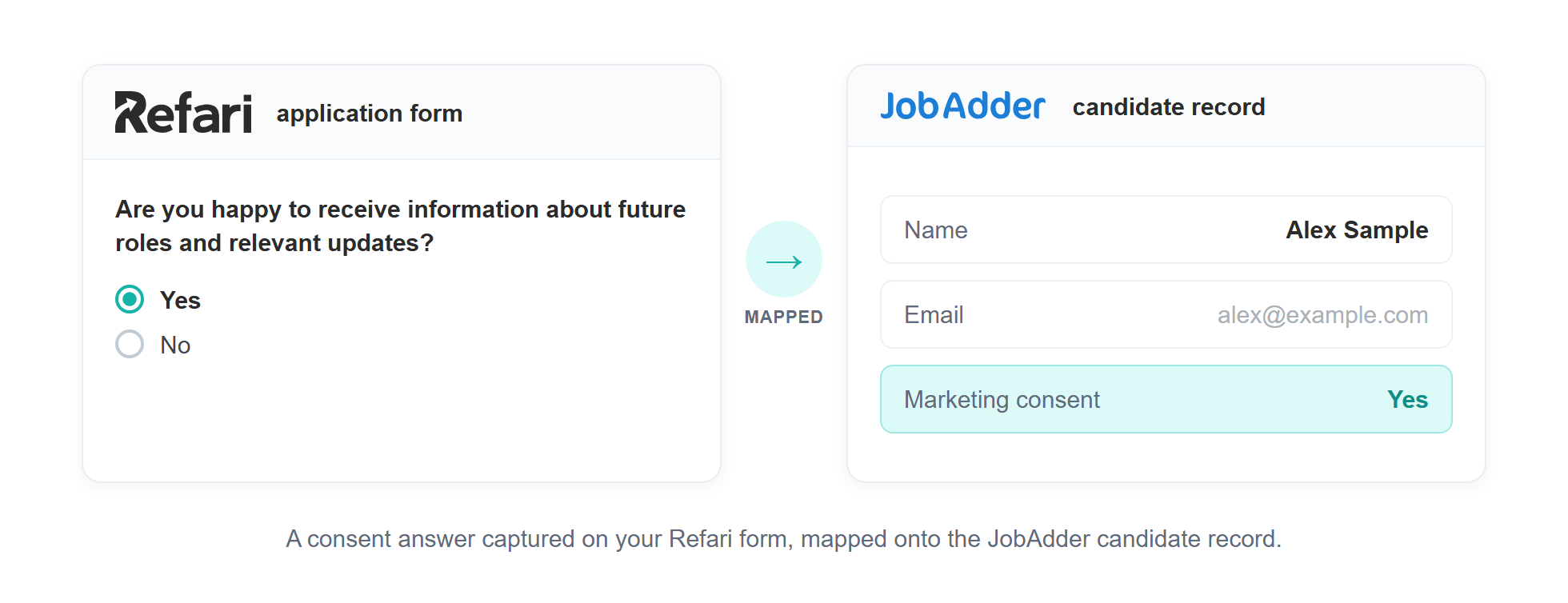
JobAdder is a deep, two-way integration with Refari, so you can map a screener answer directly onto a field on the JobAdder candidate record. This is how you would record a marketing opt-in: create a Yes / No opt-in question as a screener question, then map its answer to a field on the candidate's JobAdder record, where it is stored against the candidate and visible to your team.
You do this in Refari under "Tools > Question Mapping", where you pick the question and choose the JobAdder field its answer should populate. The full walkthrough is here: How to map screener question answers to your ATS/CRM ↗
If the field you want is not in the list
The mapping dropdown only shows fields that already exist on your JobAdder candidate record and that JobAdder allows data to be written into. If the field you are looking for is not there, it is because it does not yet exist on the record.
Consent is the most common example. JobAdder has a built-in Data Consent indicator on the candidate, but JobAdder populates that only from their own tools (their forms and the CareerUpdate portal) and does not make it writable through the integration. Because of that, it can never appear as an option in Refari's mapping list. This is a JobAdder limitation, not anything set up incorrectly on the Refari side.
The fix is to create your own custom field on the JobAdder candidate record, then map your answer to that. In JobAdder, an admin adds a candidate custom field, and a List type called something like "Marketing Consent" with Yes / No values works well. As soon as the field exists in JobAdder it flows straight into Refari's mapping list (the dropdown reads your JobAdder fields live), and you can select it under "Tools > Question Mapping".
Note: Your custom field records the same consent, but it sits alongside JobAdder's native Data Consent indicator rather than ticking it. That built-in indicator stays under JobAdder's control; your custom field is where the mapped answer is stored, visible and filterable by your team.Other JobAdder fields worth enabling
Screener answers are not the only thing Refari can populate on the JobAdder candidate record. You can also enable fields for the candidate's source, referral details, and a flag for whether a candidate already receives your job alerts. These are useful for keeping the record complete and for knowing who you are already in contact with. There is a dedicated guide to them: Fields you can enable to get the best out of Refari with JobAdder ↗
If you use a different ATS or CRM
The direct field mapping described above is specific to deep integrations like JobAdder. Integration depth varies from one system to the next, so it is not something we can promise for every ATS or CRM.
For other systems, the answers are still captured on the Refari candidate record and exposed on our webhooks and API, but whether they are written into your ATS depends on the integration that has been built to Refari. Where a third party built that integration, whether a given field is picked up and mapped in is controlled on their side, not by us. So the practical position is: the data is always available from Refari, and how far it flows into your system depends on your own integration.
Note: If you are not sure how deep your integration goes, or you are on a custom or third-party build and want to check whether a consent field will flow through, reply here and our team will confirm what your setup supports.Final Notes
In short, for JobAdder you can record a candidate's marketing opt-in (and any other screener answer) straight onto their candidate record by mapping it, and the same data is always available on our webhooks and API for anything else you want to do with it.
Other articles you might be interested in: Managing candidate consent, privacy and marketing preferences in Refari | How to create screener questions in Refari | How to map screener question answers to your ATS/CRM
Was this article helpful?
That’s Great!
Thank you for your feedback
Sorry! We couldn't be helpful
Thank you for your feedback
Feedback sent
We appreciate your effort and will try to fix the article