This article explains how Recruiter Tags and Service Location Tags work in Refari, where to add them, and how they let you build team pages that automatically show the right people by speciality or location. They are a simple way to group your team by industry, expertise, or region, so visitors always see the most relevant recruiters.
Where to find your tags
You add and manage your tags from your own profile in the Refari dashboard:
- Go to your Refari dashboard.
- Open Settings, then Account Profile.
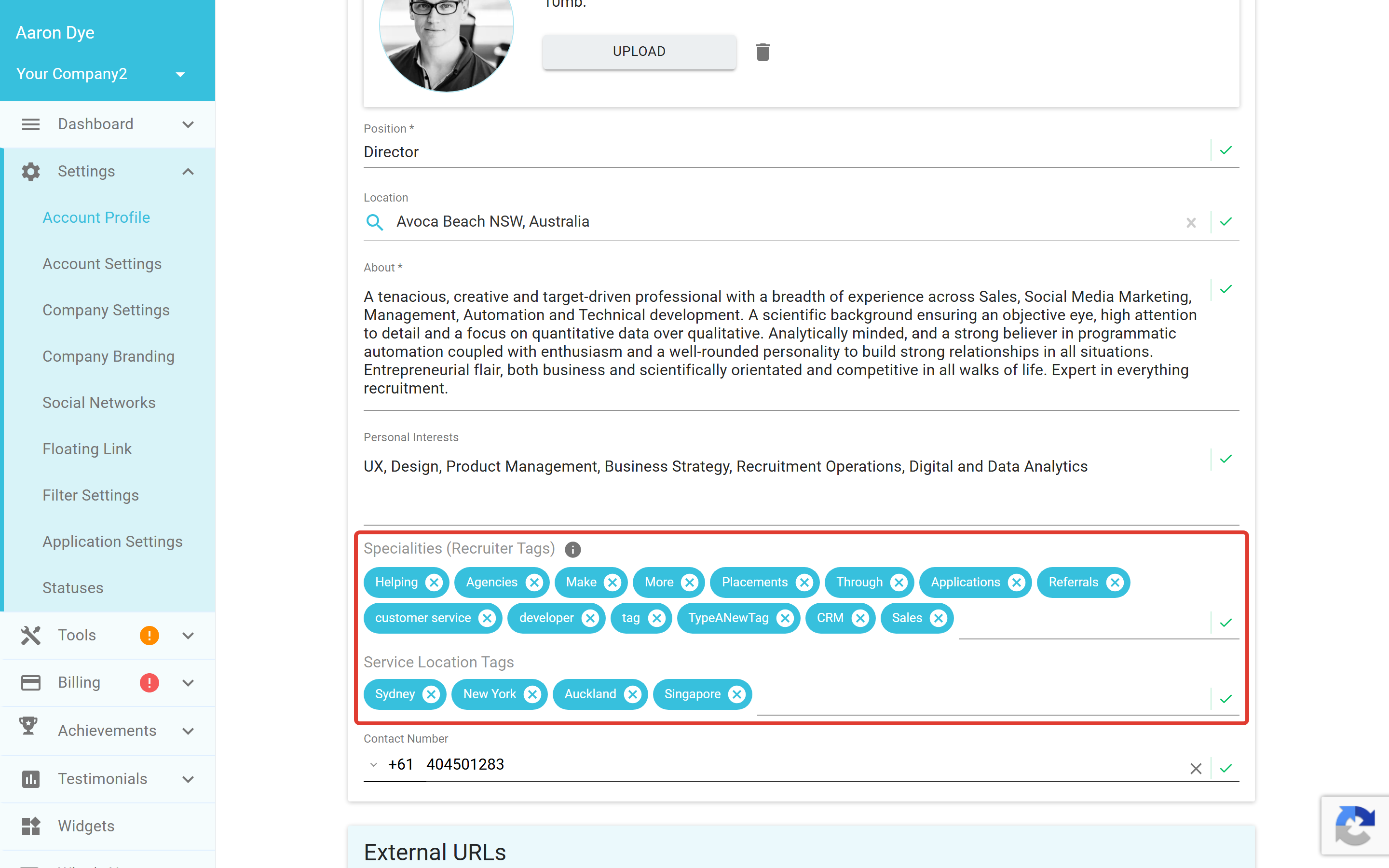
- Scroll down to the Specialities (Recruiter Tags) and Service Location Tags fields.
This is where you add, edit, or remove your tags. The tags live on each person's Account Profile, so everyone on your team can keep their own specialities and locations up to date.
The two types of tags
Specialities (Recruiter Tags)
These describe what someone specialises in, so visitors can quickly see their areas of expertise. Examples:
- Technology
- Healthcare
- Construction
- Executive Search
- Finance
- Renewable Energy
Add a speciality by typing it into the field and selecting it. You can add as many as you need to reflect the areas a person covers.
Service Location Tags
These describe the regions or locations someone covers. Examples:
- Sydney
- Melbourne
- Australia
- UK
- Europe
- Asia
These are especially useful for companies and teams working across multiple regions or territories.
Note: Team pages match on the exact tag, so it pays to agree on consistent tag names across your team. For example, settle on "Technology" rather than a mix of "Tech", "IT", and "Technology", so everyone who should appear on a page actually does.How tags power your team pages
Once your profiles are tagged, you can build team pages that automatically show only the people with matching tags. For example:
- A Sydney Team page showing only people tagged Sydney.
- An IT Recruitment Team page showing only people tagged Technology.
- An Asia Market Specialists page showing only people tagged Asia.
You can build as many team pages as you like, and they stay accurate on their own. Whenever someone adds or removes a tag, they appear on or drop off the matching pages automatically, with no manual updating.
Idea: Combine a speciality tag with a location tag to create very specific pages, such as a Sydney Technology team, so visitors land on exactly the people they are looking for.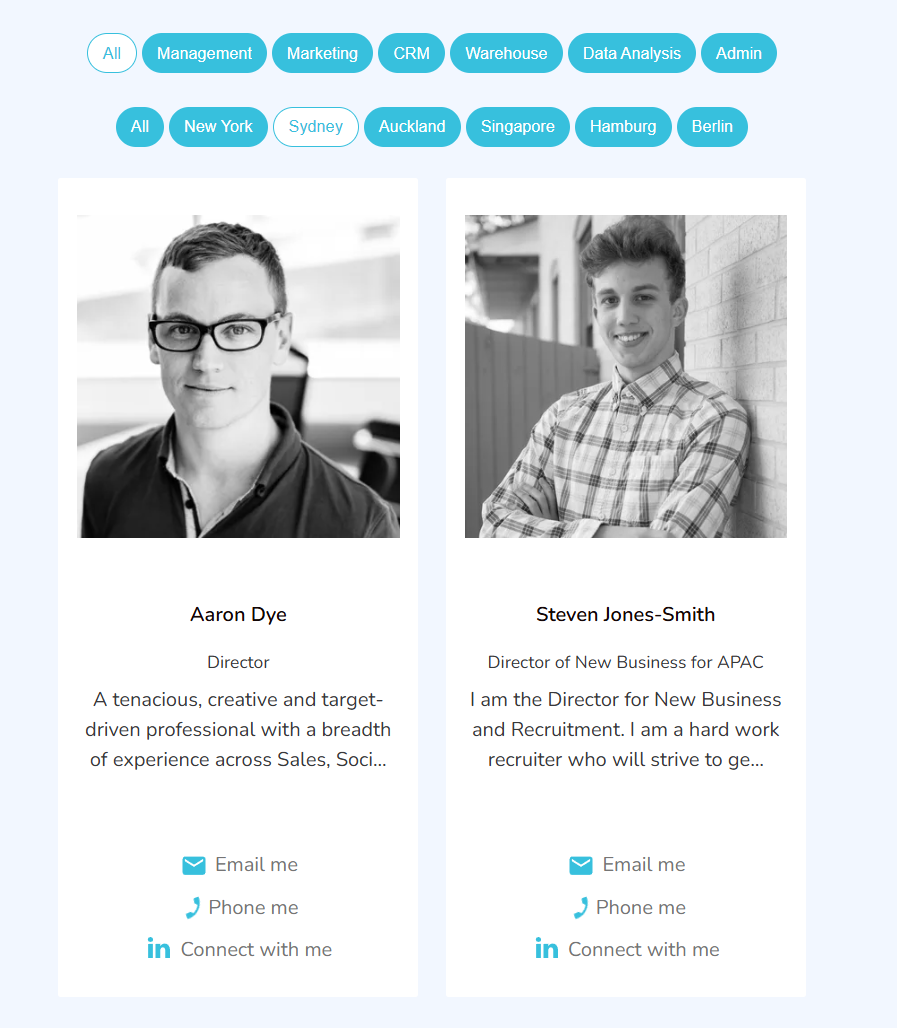
Success: That is the whole workflow. Once your team is tagged, every team page set to those tags keeps itself up to date. Add or remove a tag and the change flows straight through to your website.Why use tags?
Tags give recruiters and teams:
- Greater accuracy in how the team is grouped.
- Cleaner website navigation for visitors and candidates.
- Better SEO value for industry-specific or location-specific pages.
- Less manual work, as pages update automatically based on tags.
This makes it simple to maintain a structured, professional recruiter directory, and gives your website more flexibility, better organisation, and a more personalised experience for your visitors.
Final Notes
Tags are quick to set up and easy to change, so it is worth keeping them current as your team and focus areas evolve. If you would like a hand setting up tag-based team pages on your website, raise a ticket with the Refari team or speak to your account manager.
Other articles you might be interested in: How Specialities and Tags Work on Refari
Was this article helpful?
That’s Great!
Thank you for your feedback
Sorry! We couldn't be helpful
Thank you for your feedback
Feedback sent
We appreciate your effort and will try to fix the article