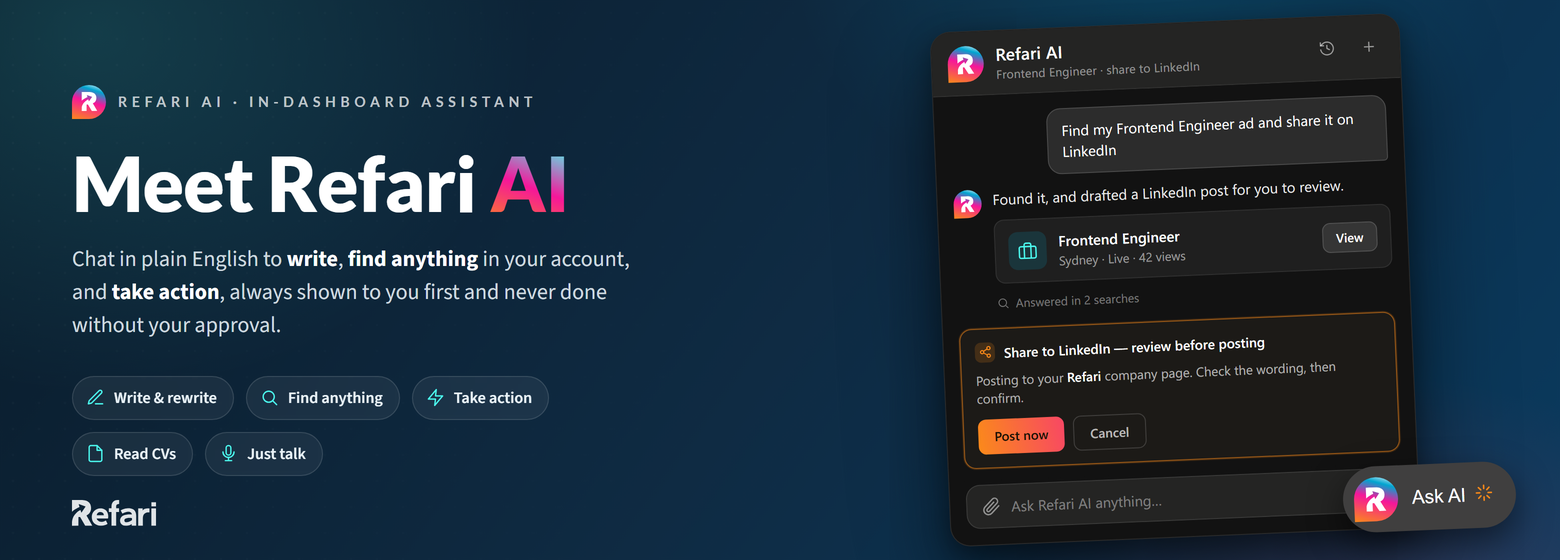
This article explains what Refari AI is and everything it can do for you right now. Refari AI is an assistant built into your Refari dashboard: you chat with it in plain English and it helps you write, finds things in your Refari account, and carries out actions for you. Anything that changes your data is shown to you first, and nothing happens until you approve it.
Where to find it
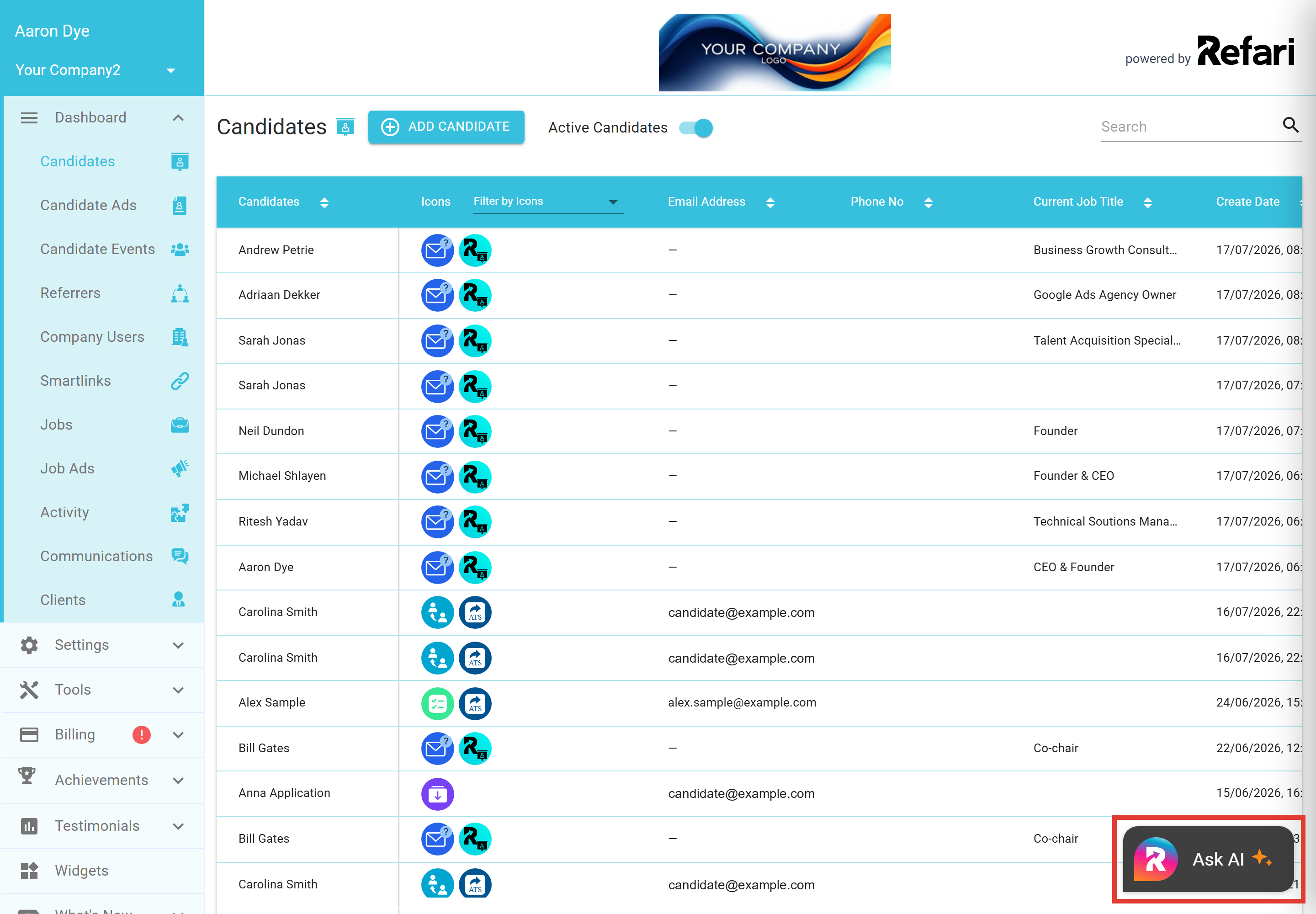
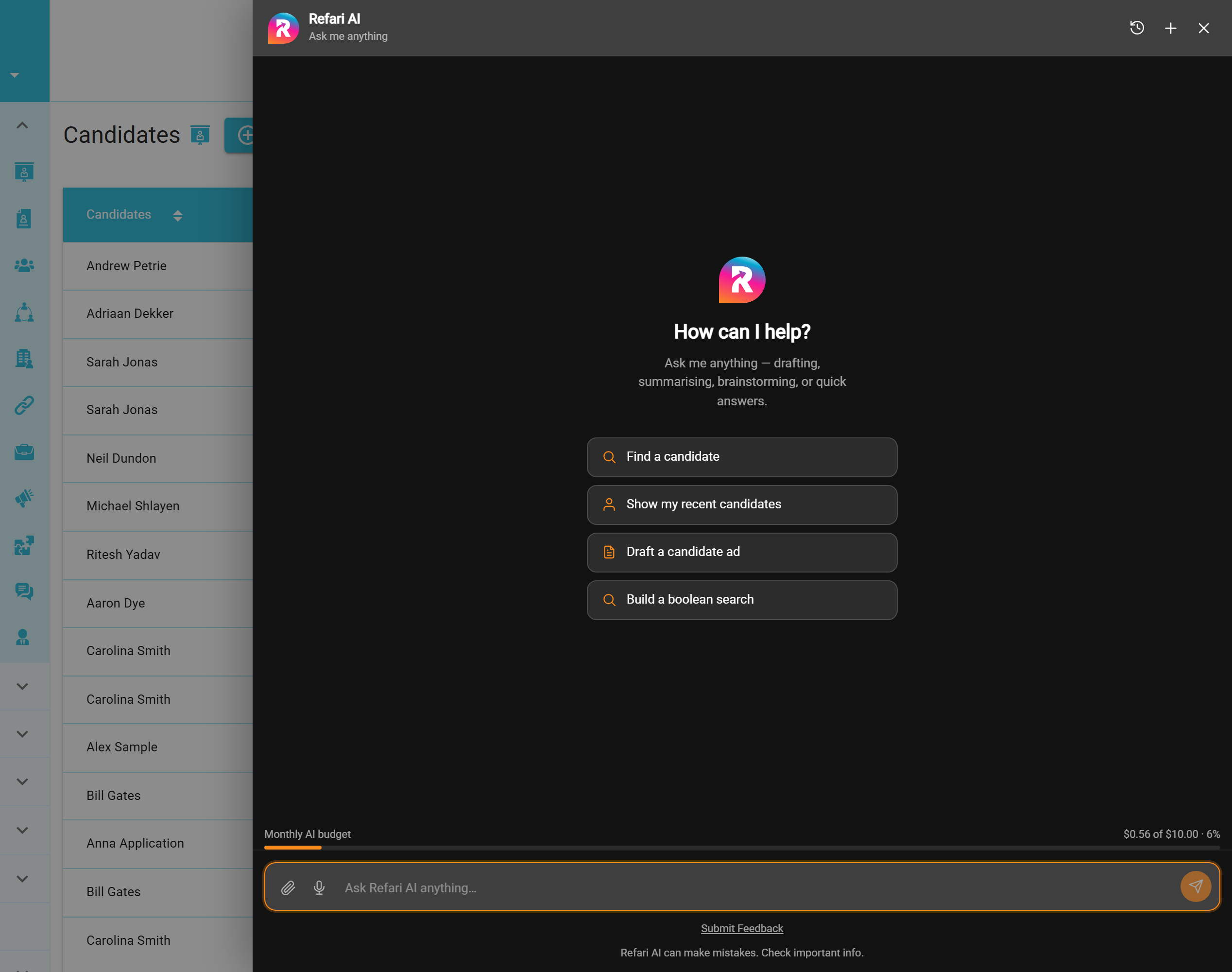
Look for the Ask AI button in the bottom-right corner of your dashboard. Click it and the assistant opens as a chat panel over whatever page you are on, so you never lose your place. Type into the "Ask Refari AI anything" box, or pick one of the suggestion cards to get going.
The suggestions are aware of where you are in the platform. On your Candidates page it offers to find a candidate or draft a candidate ad; on a job ad it offers to summarise, publish or share that ad; on your Smartlinks page it offers to write social posts. Your conversations are saved automatically (each one gets its own title), so you can close the panel, come back later and pick up where you left off.
Idea: if you have a candidate or job ad open when you launch the assistant, it already knows which record you are looking at. Try "Summarise this candidate" or "Publish this job ad" without naming them.Help with writing and thinking
Ask Refari AI for help with any of the everyday writing that fills a recruiter's week:
- Job adverts: write a compelling advert from a rough brief, rewrite an existing ad to be clearer and more engaging, or review one to make it inclusive and bias-free.
- Candidate adverts: write an anonymised advert that markets a strong candidate without revealing who they are, punch up a flat one, or brainstorm headline options.
- Emails and messages: interview invitations, follow-ups, reminder messages, thank-you notes to a referrer (someone who recommends a candidate to you), team announcements and welcome messages.
- Social content: engaging posts and caption variations to share a role with your network.
- Sourcing and screening: build a boolean search string for a skill set, define an ideal-candidate profile (must-haves and nice-to-haves), brainstorm screening questions, or plan a structured interview.
- Summarising: turn interview notes into clear feedback with a recommendation, condense a long message thread into key points and actions, or turn recent activity into a status update you can send to a hiring manager.
- Questions about Refari: ask what a setting does, how one of the Refari tools works, or where to find something in the platform.
Finding things in your Refari account
Refari AI can look things up in your own Refari data, just by being asked, and it understands questions the way you would actually phrase them. Some examples of what you can ask:
- Candidates: "Show me my most recent candidates", "Find Sarah Jonas", "Do we already have anyone with the email jordan.ellis@example.com?", or "Search my archived candidates for Smith". It can open any of them up: "Show me Andrew's full profile".
- Candidate notes: "What do the notes on Andrew Petrie say?", "Summarise the notes on this candidate and tell me if they look ready to place", or "Which notes did Liam add?".
- Job ads: "Show me my draft job ads", "Which of my ads have expired?", "Have I got anything scheduled to go live?", or "What location did we set on the Frontend Engineer ad?".
- Candidate ads: "How many live candidate ads do I have right now?", "Which candidate ads are still drafts?", or "Find the ad we made for Jason".
- Counts and quick checks: any of the above works as a number question too, so "How many active job ads am I running?" gets a straight answer, not a report to dig through.
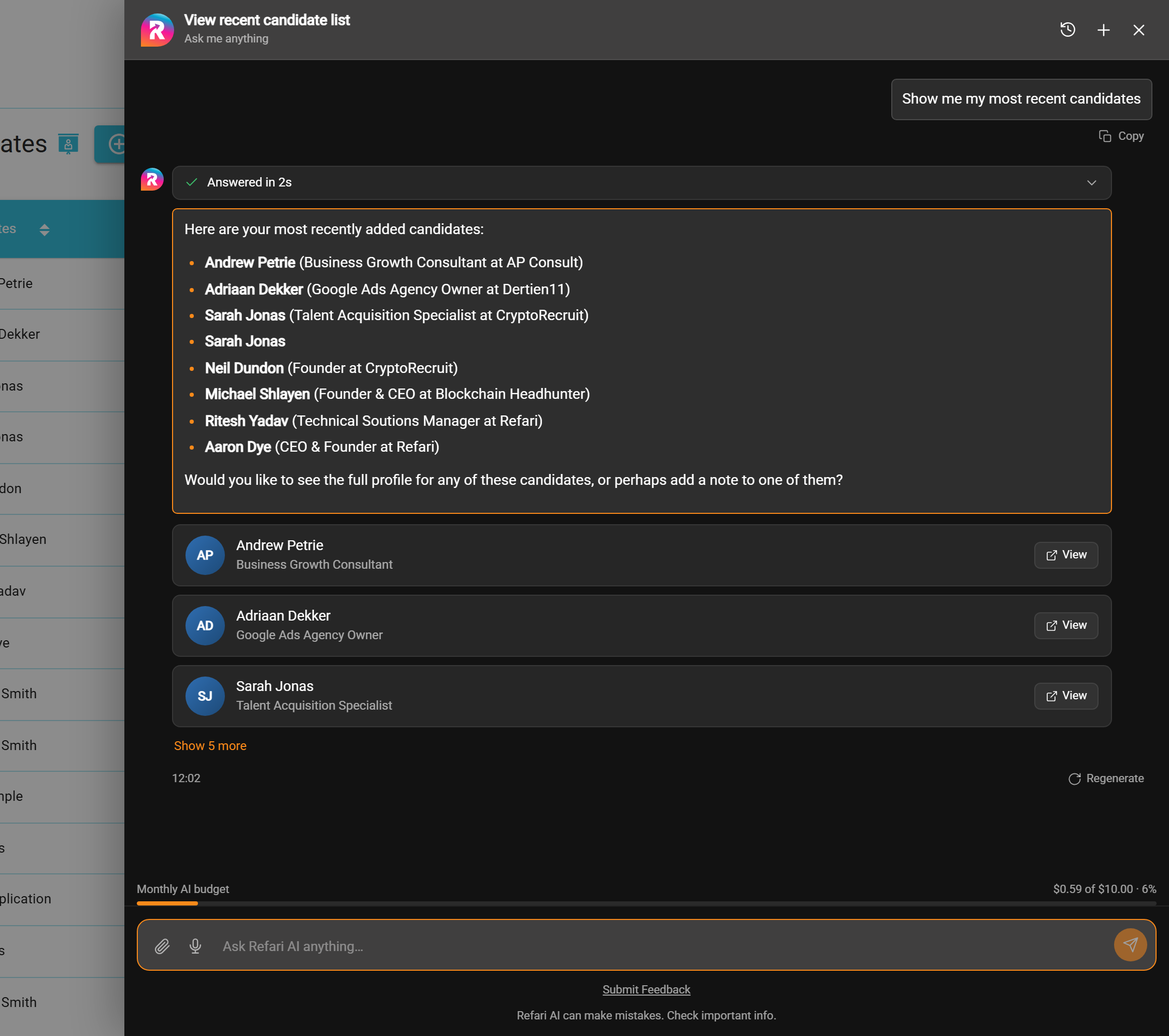
Results come back as clickable cards with a View button that links straight to the record in your dashboard, so the assistant doubles as a very fast way to navigate. Above each answer there is a small "Answered in..." line you can expand to see exactly which searches the assistant ran to get there. And everything is scoped to your own company: the assistant only ever sees the records your own login can see.
Because finding and doing live in the same conversation, you can chain them together: "Find my Frontend Engineer ad and share it on LinkedIn", or "Summarise the notes on this candidate, then draft a candidate ad from them". The assistant runs the search, uses what it finds, and brings you the result to approve.
Taking action for you (always with your approval)
This is where Refari AI goes beyond a chatbot. You can ask it to actually do things in Refari. Before anything changes, the assistant shows you an approval card: a summary of exactly what it is about to do, with the details laid out for you to check, edit if needed, and approve or cancel. The bigger the consequence, the stronger the confirmation it asks for.
| What you can ask for | What happens | Before it happens |
|---|---|---|
| Draft a candidate ad | A new candidate ad is created as an unpublished draft for you to review and publish later. | You check the title, summary and pitch on the approval card, then click Create draft. |
| Edit a candidate ad draft | Only the fields you asked to change are updated. | You see a before and after comparison of the changes, then approve. |
| Add a candidate | A new candidate record is created, from details you give it or straight from an uploaded CV. | The name and email are pre-filled on the approval card; you can correct anything before approving. |
| Publish or unpublish a job ad | The ad goes live on your Refari job board and feeds (or comes back down to draft). Reversible. | A confirmation card spells out that the ad is about to go live. |
| Share a job ad to social media | The ad is posted to LinkedIn, Facebook or X, as your company page or your personal account, with post text the assistant drafts for you. | You review the wording, pick the channels, and tick a confirmation box before anything is posted. |
| Repost a job ad | The ad re-enters your outbound job feeds with fresh dates. | You confirm with a tick-box, since a repost goes out to your feeds and cannot be recalled. |
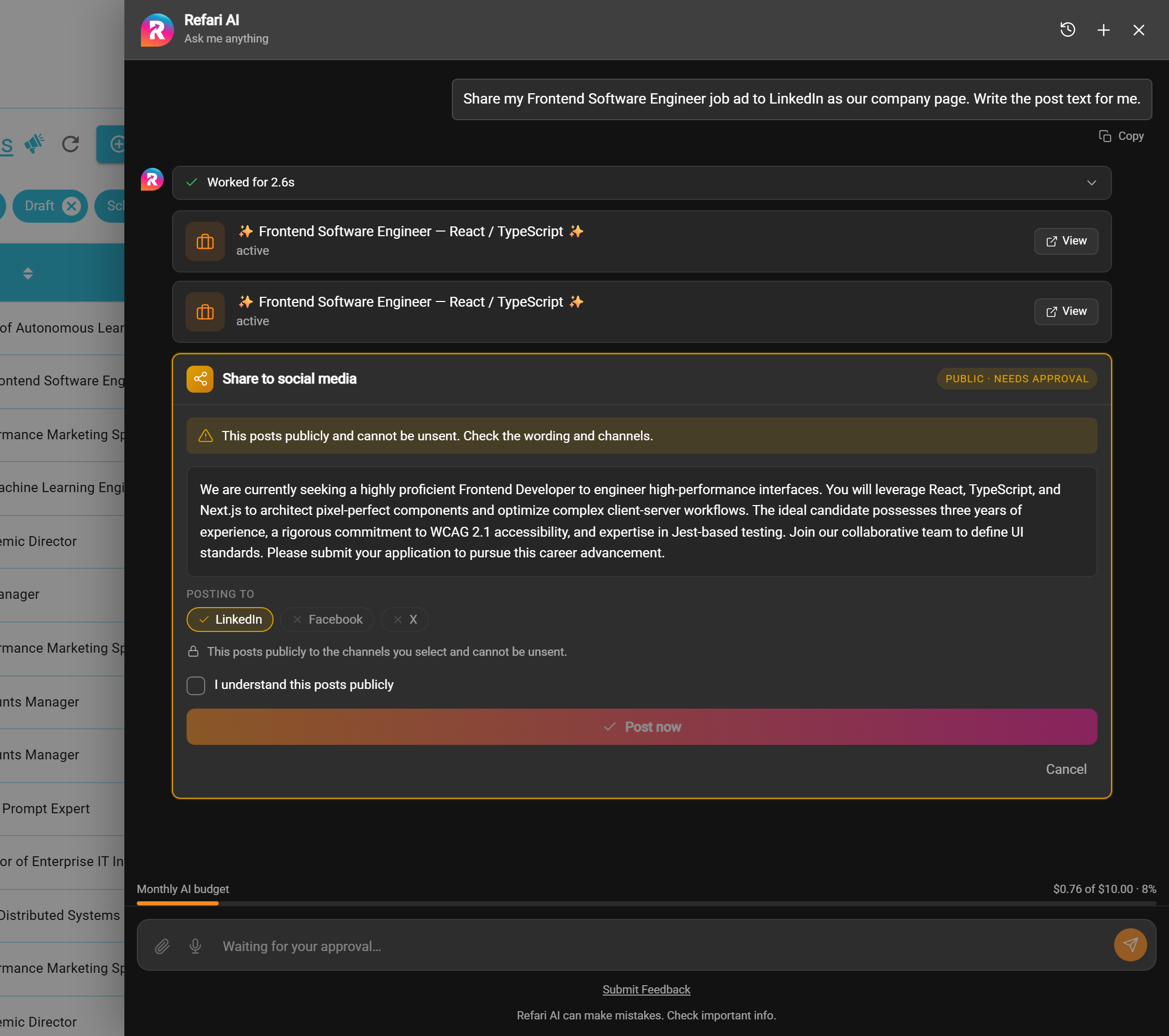
Note: Refari AI can never take an action on its own. Every action goes through an approval card, and the level of confirmation each action needs is fixed by Refari, not by the assistant, so it cannot skip or soften a check.Warning: sharing to social media posts publicly and cannot be unsent. Always read the drafted wording and double-check the selected channels on the approval card before you click Post now.Upload CVs, images and files
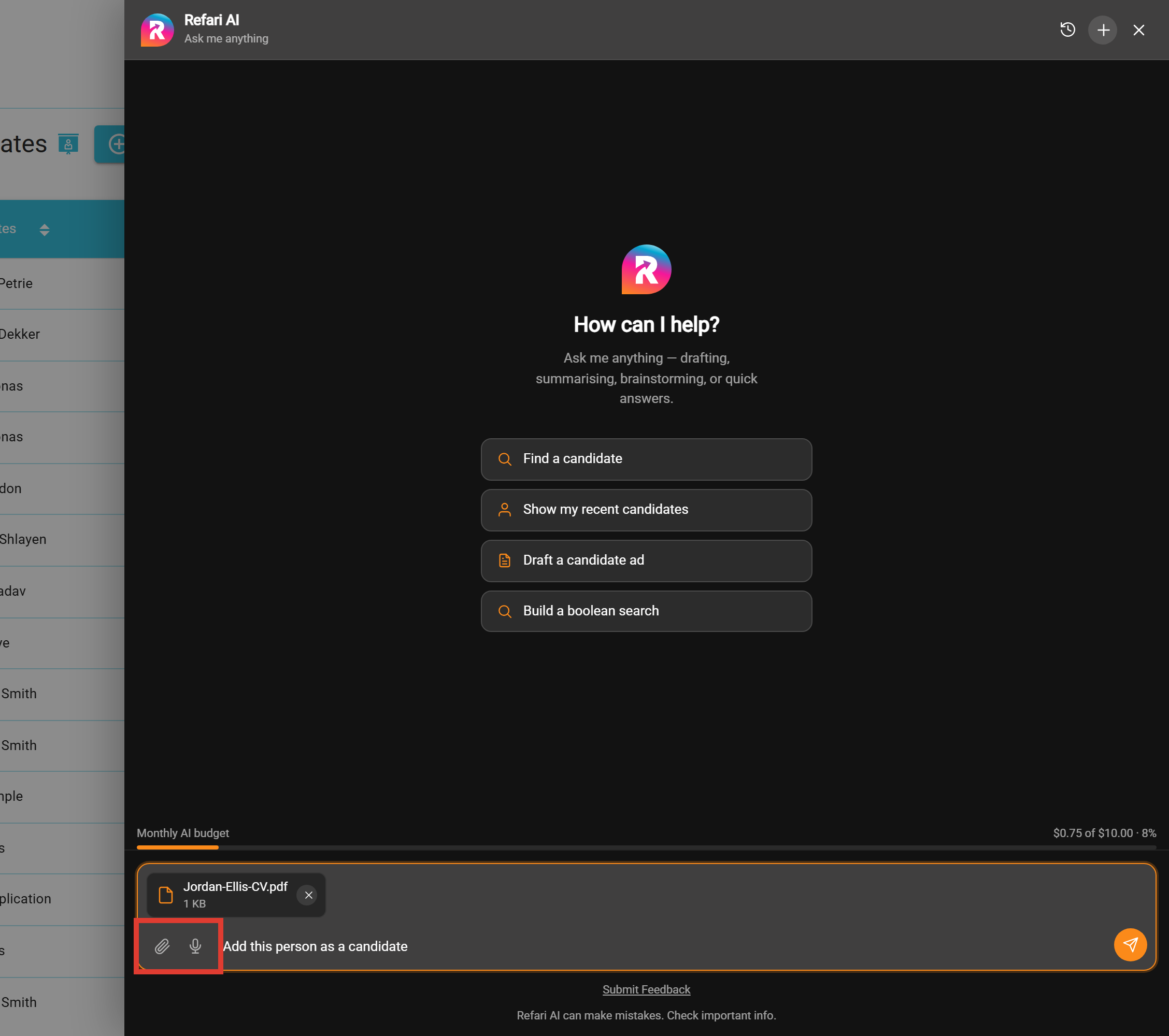
Use the paperclip button, or simply drag a file into the chat, to give the assistant something to work with. The standout use is CVs: upload a CV, say "Add this person as a candidate", and Refari AI reads the document, pulls out the name and email, and puts them on a create-candidate approval card for you to check and approve. An unstructured document becomes a clean candidate record in a few seconds.
You can also attach images, for example a screenshot or a piece of creative you want the assistant to look at, and chat about them in the same way.
Talk instead of type
Click the microphone button and speak your request instead of typing it. Refari AI transcribes what you said into the message box, so "find me candidates called Sarah" works just as well said out loud as typed. Handy between calls, or whenever your hands are full.
Good to know
- Availability: Refari AI is switched on per company. If you cannot see the button in your dashboard and would like it enabled, raise a ticket and we will switch it on.
- Some abilities follow your features: candidate ad drafting needs the Talent Board feature, and adding candidates from a CV is for companies that manage their candidates directly in Refari (rather than syncing them from an ATS such as JobAdder, where the ATS stays the source of truth).
- It uses your AI budget: each conversation draws on your monthly AI allowance, and the meter at the bottom of the panel shows exactly where you stand. If you reach your budget the assistant lets you know and pauses until it resets.
- It respects your access: the assistant works with your login and can only see and do what you can see and do yourself.
Final Notes
The best way to learn Refari AI is to open it on the page you are already working on and try the suggestion cards: they show you what the assistant can do right there. We are actively extending what Refari AI can do, so expect this list to grow. If there is an action you would love the assistant to handle for you, tell us through a support ticket.
Other articles you might be interested in: Your AI Settings explained | Automatic job advert skill tagging with AI
Was this article helpful?
That’s Great!
Thank you for your feedback
Sorry! We couldn't be helpful
Thank you for your feedback
Feedback sent
We appreciate your effort and will try to fix the article