This article explains where your candidate referrals appear inside Refari and how to manage them day to day, using two places in your dashboard: the Candidate Events feed, where new referrals land, and your Referrers list, where you can see everyone who refers to you and how valuable they are.
Candidate Events: where new referrals land
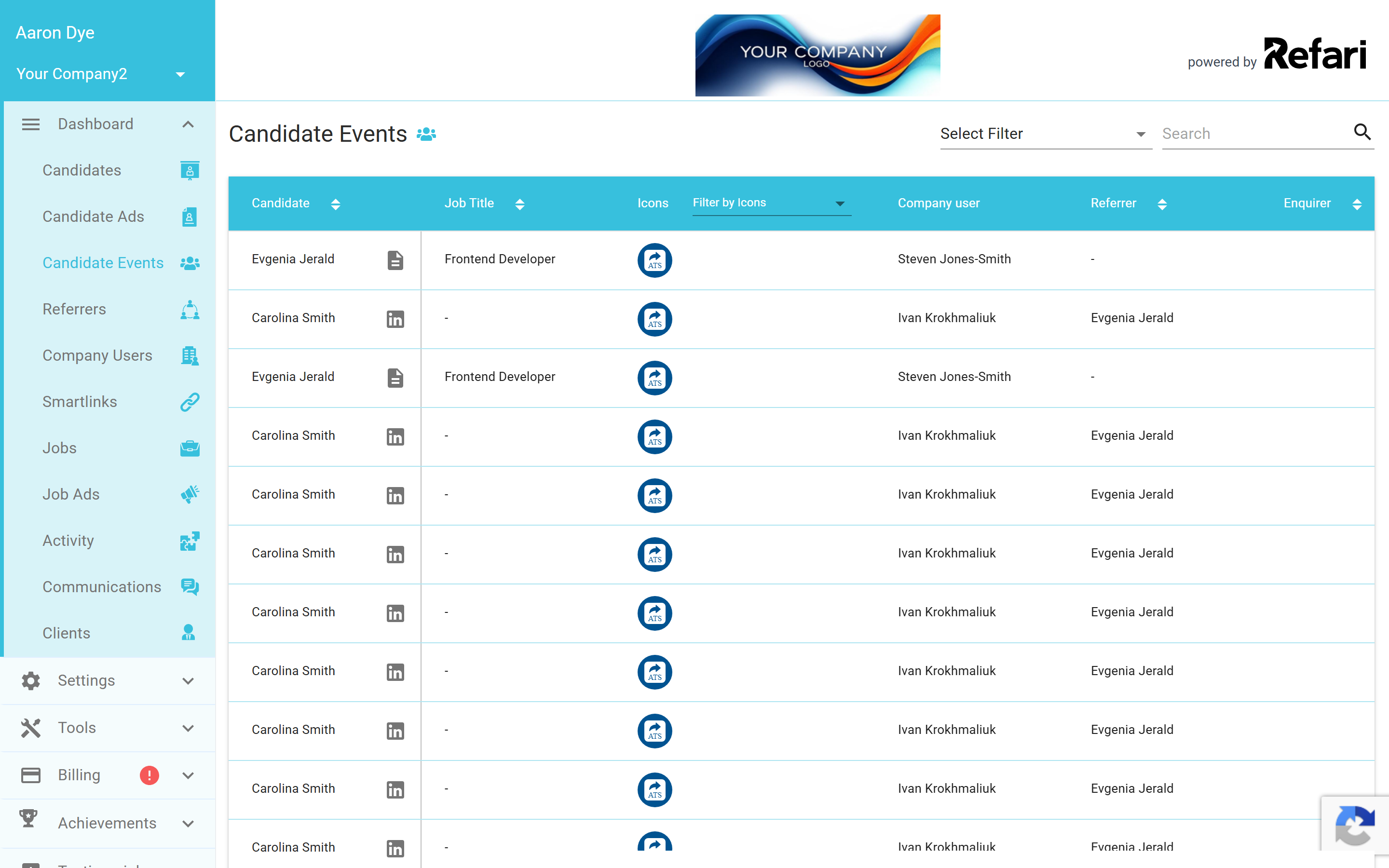
Every referral that reaches you, whether it came through your job board or was logged directly, appears in Candidate Events (Dashboard > Candidate Events). This is your single feed of incoming activity, and you can filter it to focus on referrals.
From a referral in the feed you can:
- Rate how relevant the referral is. Your rating builds that referrer's track record over time, so your best referrers stand out.
- Push the candidate into your ATS so they sit alongside the rest of your pipeline.
Referrers: your list of people who refer to you
The Referrers page (Dashboard > Referrers) lists everyone who has referred a candidate to you. For each referrer you can see their number of referrals and their average ratings, so you can quickly tell who your most valuable referrers are and keep them engaged.
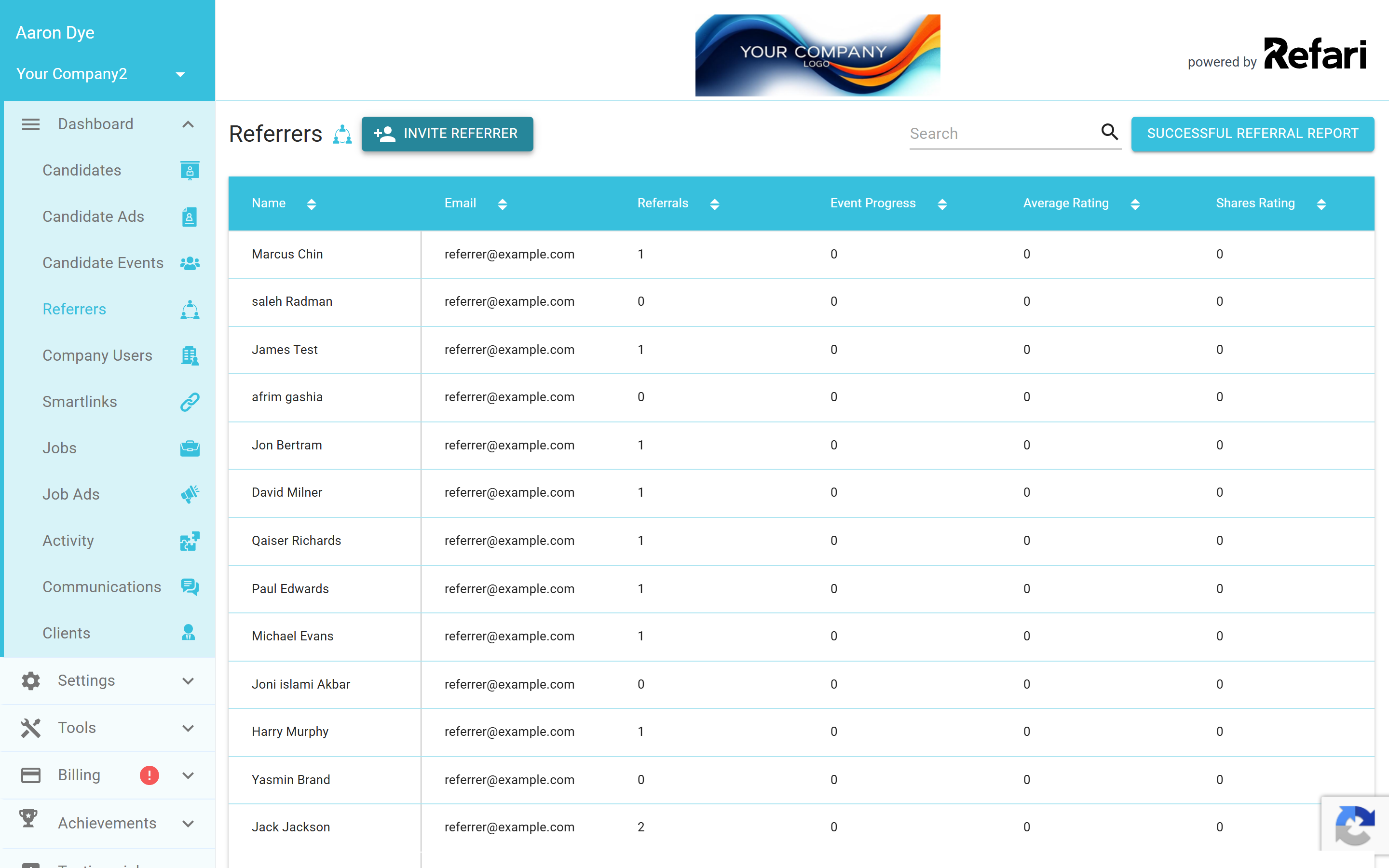
From this page you can also mark a referrer as trusted and download the Successful Referral Report, a spreadsheet of placed referrals and the reward owed for each, which is handy when it is time to pay your referrers.
Note: The reward shown in the report is based on your current reward settings and is there to guide you. Refari tracks the referral and shows what is owed, but paying the referrer happens through your own process.Final Notes
Get into the habit of rating referrals as they come in. It only takes a moment, and over time it gives you a clear, honest picture of which referrers are sending you the candidates worth rewarding.
Other articles you might be interested in: Candidate referrals on Refari: a complete guide for recruitment agencies | What is candidate ownership period for referrals and how does it work
Was this article helpful?
That’s Great!
Thank you for your feedback
Sorry! We couldn't be helpful
Thank you for your feedback
Feedback sent
We appreciate your effort and will try to fix the article