This article explains the updates Refari automatically sends your referrers as their referred candidate moves through your hiring process, and how you control exactly which updates go out using your transparency triggers. Keeping referrers informed is what keeps them engaged and referring again, so it is worth setting up well.
What your referrers receive
When someone refers a candidate to you, Refari can keep them in the loop at each stage of that candidate's journey. As the candidate progresses, the referrer receives a short, branded email letting them know what has happened:
- Referral logged when you receive or log their referral, confirming it has been recorded.
- Viewed when their candidate's application is looked at.
- Interviewed when the candidate reaches an interview.
- Offered when the candidate receives an offer.
- Placed when the candidate is placed. If a reward applies, this email invites the referrer to get in touch to claim it.
Each email is light on detail by design: it tells the referrer their candidate is progressing without exposing anything confidential. Here is an example of what one of these updates looks like:
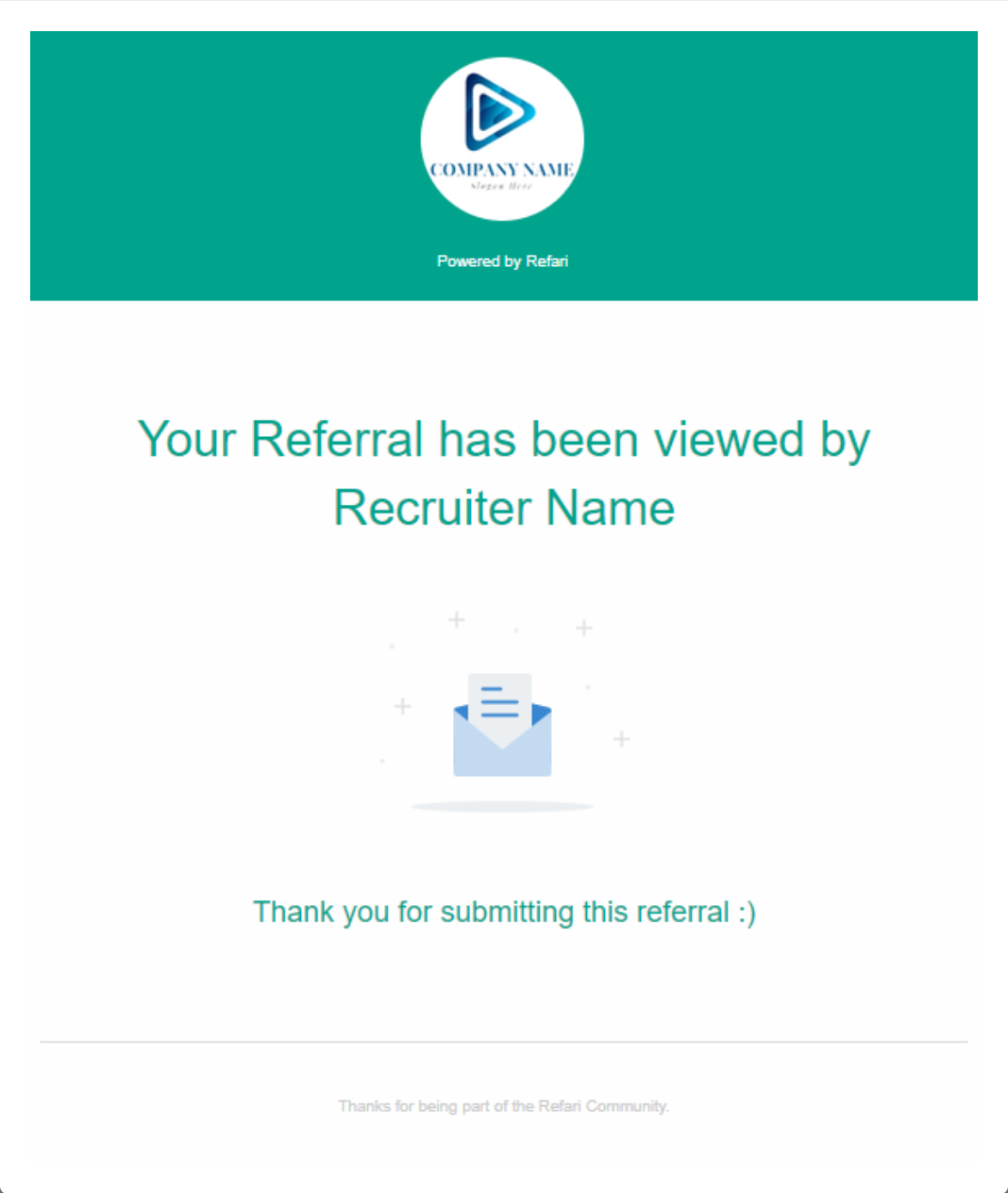
Note: A referrer only receives these updates while they still "own" the candidate they referred. Once your candidate ownership period for that referral has expired, the updates stop. See What is candidate ownership period for referrals and how does it work.How you control the updates: transparency triggers
You decide which updates go out using your transparency triggers. This is where you tell Refari which of your own statuses count as each stage, so an update is only sent when it genuinely reflects your process.
To open them, go to "Settings > Company Settings", open the Referral settings tab, and click Referral Transparency Triggers. For each stage (Viewed, Interviewed, Offered, Placed), tick the statuses that should trigger that update, then save.
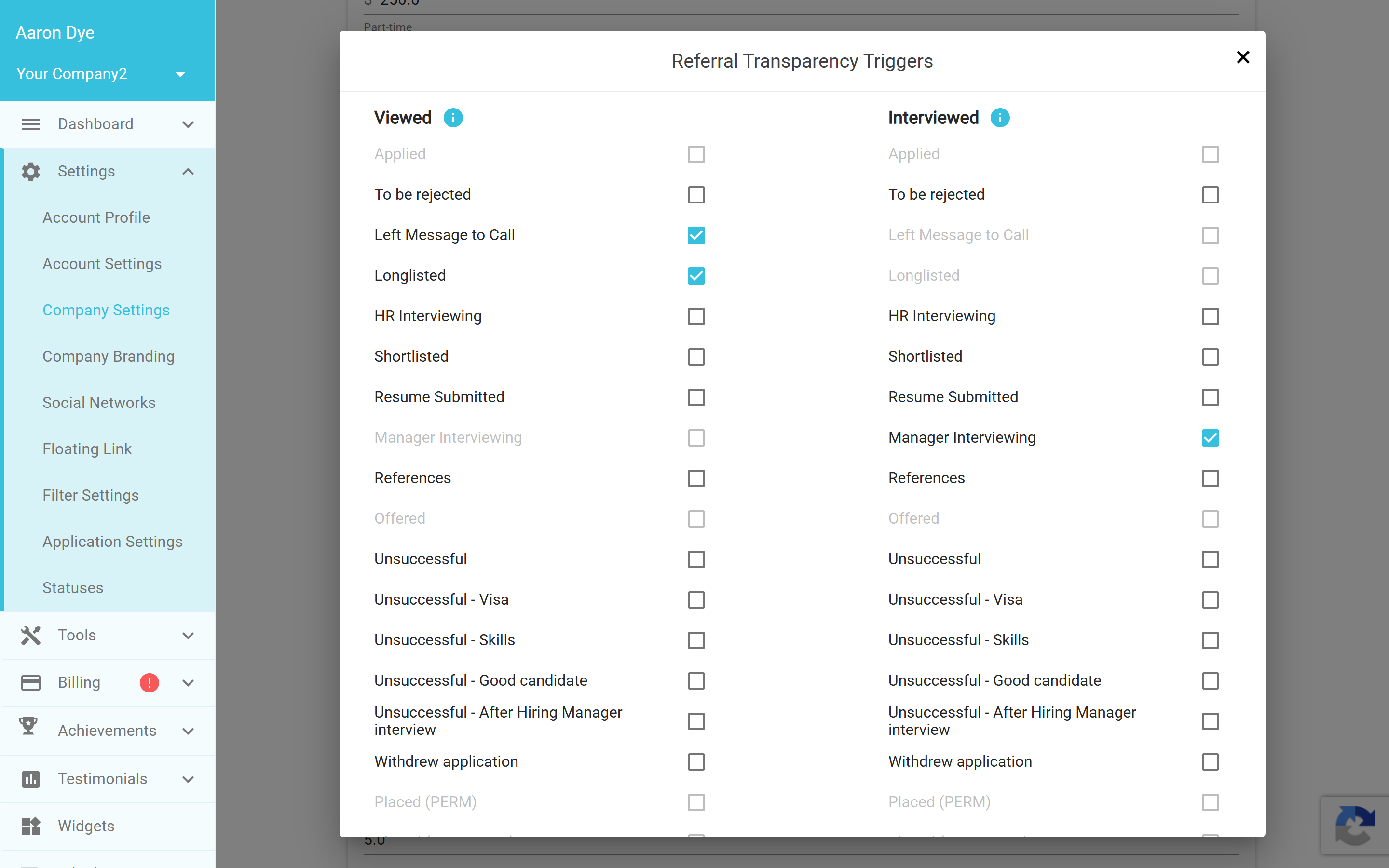
Idea: The triggers are also your on/off switch. If you do not set any triggers, no transparency updates are sent at all, so you stay in full control of when your referrers hear from Refari.Good to know
- The "placed" update to the referrer is sent shortly after the placement rather than instantly, which gives you a moment to reach out to the referrer yourself first if you would like to.
- Your team is kept informed too. The mailbox you nominate under "Settings > Company Settings > Emails" receives the company-side notifications about successful referrals.
Final Notes
Transparency is one of the simplest ways to get more referrals: when referrers can see their introduction is being taken seriously, they refer again. Set your triggers to match your real process, and let Refari do the rest in the background.
Other articles you might be interested in: Candidate referrals on Refari: a complete guide for recruitment agencies | What is candidate ownership period for referrals and how does it work
Was this article helpful?
That’s Great!
Thank you for your feedback
Sorry! We couldn't be helpful
Thank you for your feedback
Feedback sent
We appreciate your effort and will try to fix the article