This guide walks you through setting up a Talent Alert: a saved search of your Talent Board that automatically emails a hiring manager whenever new candidate adverts match what they are looking for.
What is a Talent Alert?
A Talent Alert is the mirror image of a Job Alert. A Job Alert tells a candidate about new jobs that match their search. A Talent Alert tells a hiring manager about new candidates that match theirs. You set the search criteria once, and Refari sends them a regular digest of new matching candidate adverts from your Talent Board, so good people land in their inbox without anyone having to remember to check.
Note: Talent Alerts run off your Talent Board, so you will need a Talent Board set up on your account first. If you do not have one yet, see the related article below.Step 1: Open the Talent Alert tool
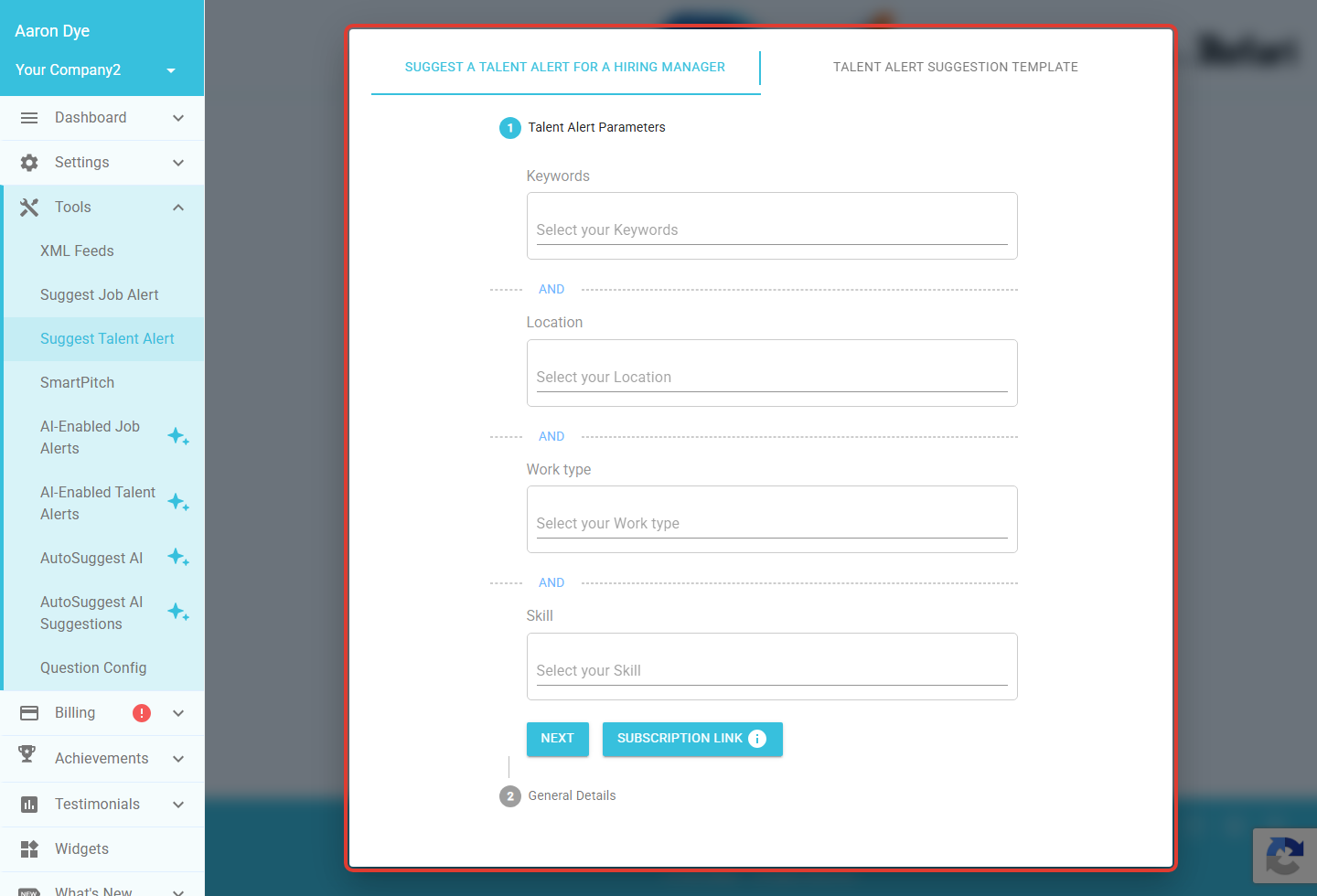
In your dashboard, go to Tools > Suggest Talent Alert. The talent alert window opens, starting on the Suggest a talent alert for a hiring manager tab.
Step 2: Set your search criteria
Under Talent Alert Parameters, choose what the hiring manager wants to hear about:
- Keywords
- Location
- Work type
- Skill
The criteria are combined with AND, so the more you add, the more specific the match. Leave a field blank to keep that part broad. When you are happy, click NEXT.
Idea: Would you rather let someone subscribe themselves? Use Subscription link to generate a shareable link for these search criteria, instead of sending a suggestion by email.Step 3: Add the hiring manager and frequency
On the General Details step, add who should receive the alert and choose how often it is sent: daily, weekly, monthly, or quarterly. Then send the suggestion. The hiring manager receives an invitation to start getting matching candidate adverts at the frequency you chose.
Idea: The second tab, Talent alert suggestion template, lets you customise the email message that goes out with your suggestions, so they match your tone.How your hiring manager manages their alerts
Once you have sent the suggestion, the hiring manager is in control. From their own Refari dashboard they have a Talent alerts page (at app.refari.co/dashboard/talent-alerts/) listing every alert with its criteria, the company, the frequency, and when it was created. They can change how often it arrives, or unsubscribe, at any time. This page lives in the hiring manager's dashboard, so it does not appear in your own menu.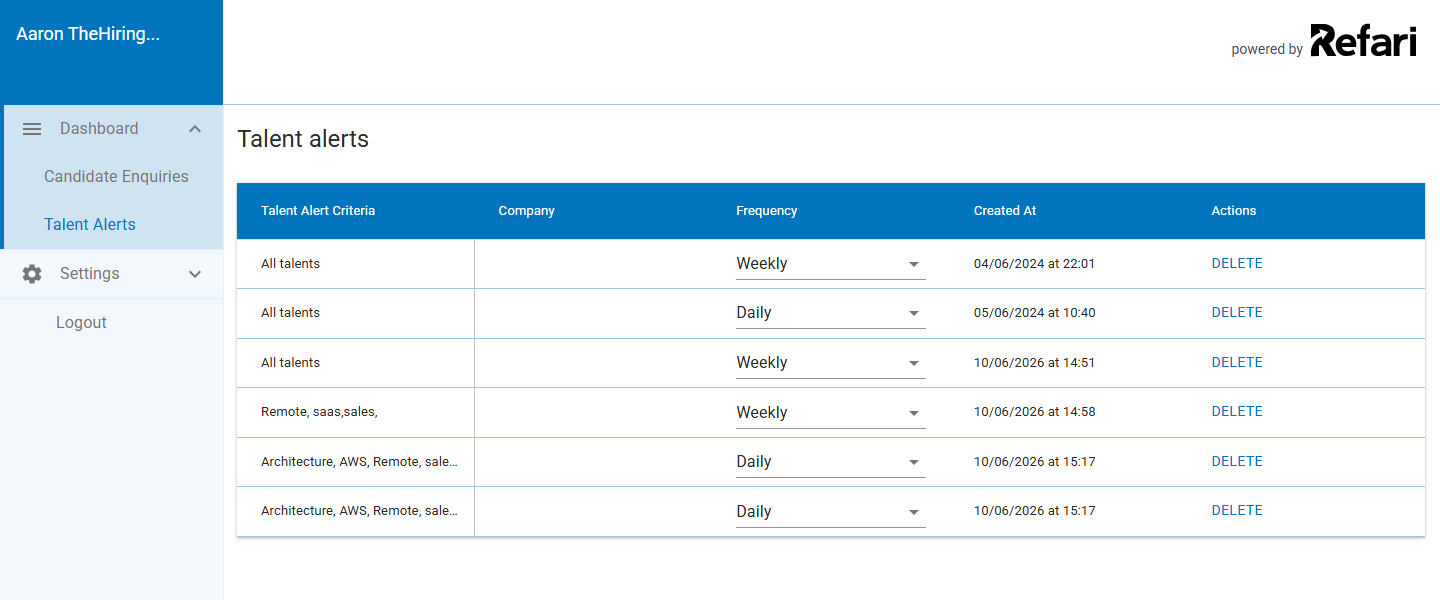
Done: Your hiring manager now receives a regular digest of new candidate adverts that match the search, and they can change the frequency or unsubscribe at any time from the Talent alerts page in their dashboard.Final Notes
Talent Alerts are a quiet, automatic way to keep a hiring manager engaged with the talent you are marketing. Set the criteria broad enough to keep the matches flowing, but specific enough that what lands is genuinely relevant.
Other articles you might be interested in: How to set up a Talent Board to market your candidates | How to create a custom Job Alert and when you should use it
Was this article helpful?
That’s Great!
Thank you for your feedback
Sorry! We couldn't be helpful
Thank you for your feedback
Feedback sent
We appreciate your effort and will try to fix the article