This article explains the Refari account that your candidates and referrers use: who owns it, how one account works across every company on Refari, which branding they see, and exactly what they can and cannot see and do once they sign in.
Who candidates and referrers are
A candidate is someone who applies for one of your jobs, registers their interest or sets up a job alert. A referrer is someone who recommends a person for one of your roles; that recommendation is called a referral. The same person can be both: many people apply for one role and refer a friend for another.
Candidates and referrers are not part of your team. They are not Company Users (the Company Admins, Managers and Members you set up on your account), they are never billed, and they have no access to your company dashboard. What your own team can see and do is covered in Refari Roles ↗.
One account across every Refari company
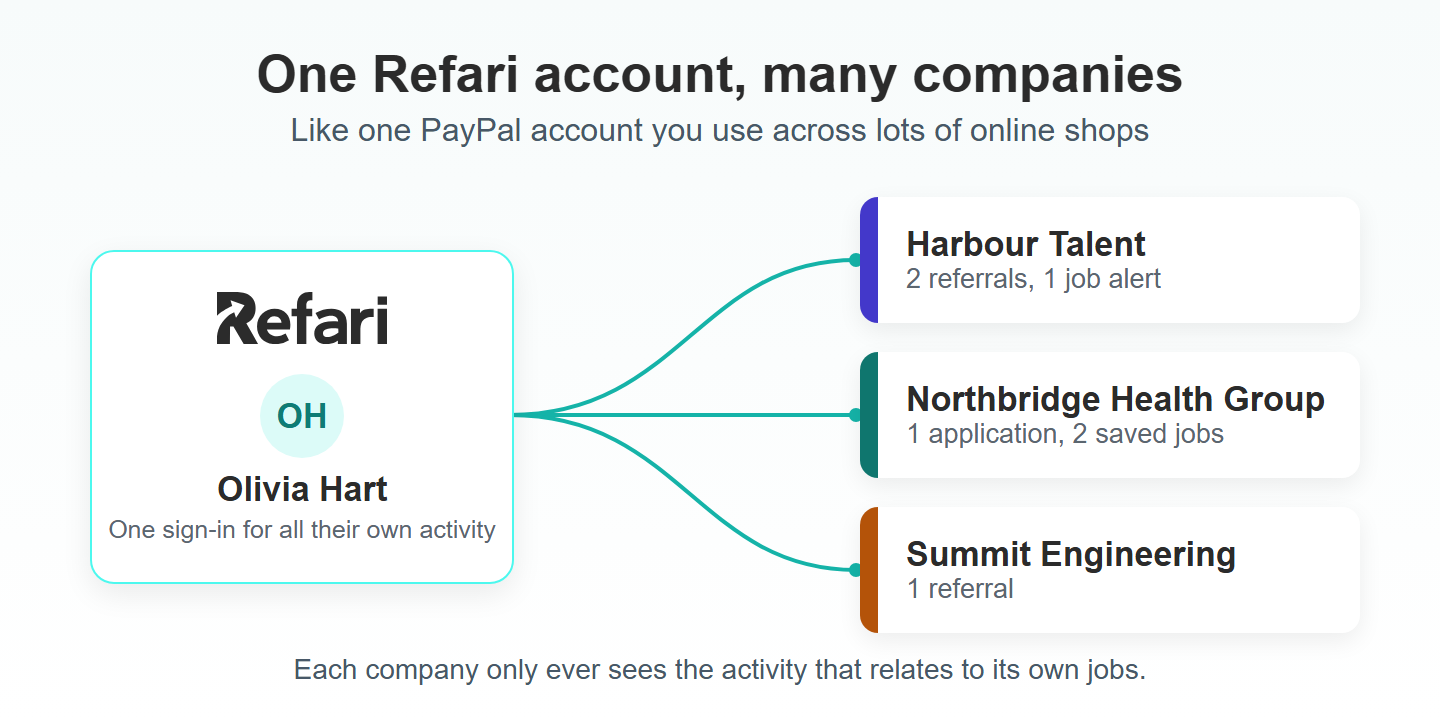
A candidate or referrer creates their Refari account once, and the account belongs to them, not to the company they first signed up through. The same account then works on the job board of every company that uses Refari.
It works a lot like PayPal. You have one PayPal account and use it to pay in lots of different online shops, rather than opening a new account with every shop. A Refari account is the same: one sign-in, used across every Refari company the person deals with.
This makes life easier for your candidates, and it helps you too:
- Someone who already has a Refari account can apply for your jobs without re-typing their details, because the application form fills in automatically.
- They keep one place to track everything they have done, whichever company it was with.
- There is one password to remember, which means fewer abandoned applications and referrals.
Their portal is not a company-specific area. It lists their own activity across every company they have dealt with. When that covers more than one company, a Company column appears in each list so they can tell which company each item belongs to.
Note: Sharing one account across companies never shares a company's data. Each company only sees the applications, referrals and job alerts that relate to its own jobs, and the person only sees their own activity.Which branding they see
The portal picks its look from the companies the person is linked to. They are linked to a company once they have applied for, referred someone to, saved a job from, or set up a job alert with that company.
- Linked to one company: the portal shows that company's logo and brand colours, with a small "powered by Refari" mark in the top right.
- Linked to two or more companies (or none yet): the portal uses standard Refari branding, because it is showing activity from several companies at once.
This switches automatically. If someone who has only ever dealt with you applies to a second Refari company, their portal changes to Refari branding the next time they sign in.
What they can see and do in their portal
The portal has four lists under Dashboard and two pages under Settings. Everything in it is the person's own activity.
Referrals
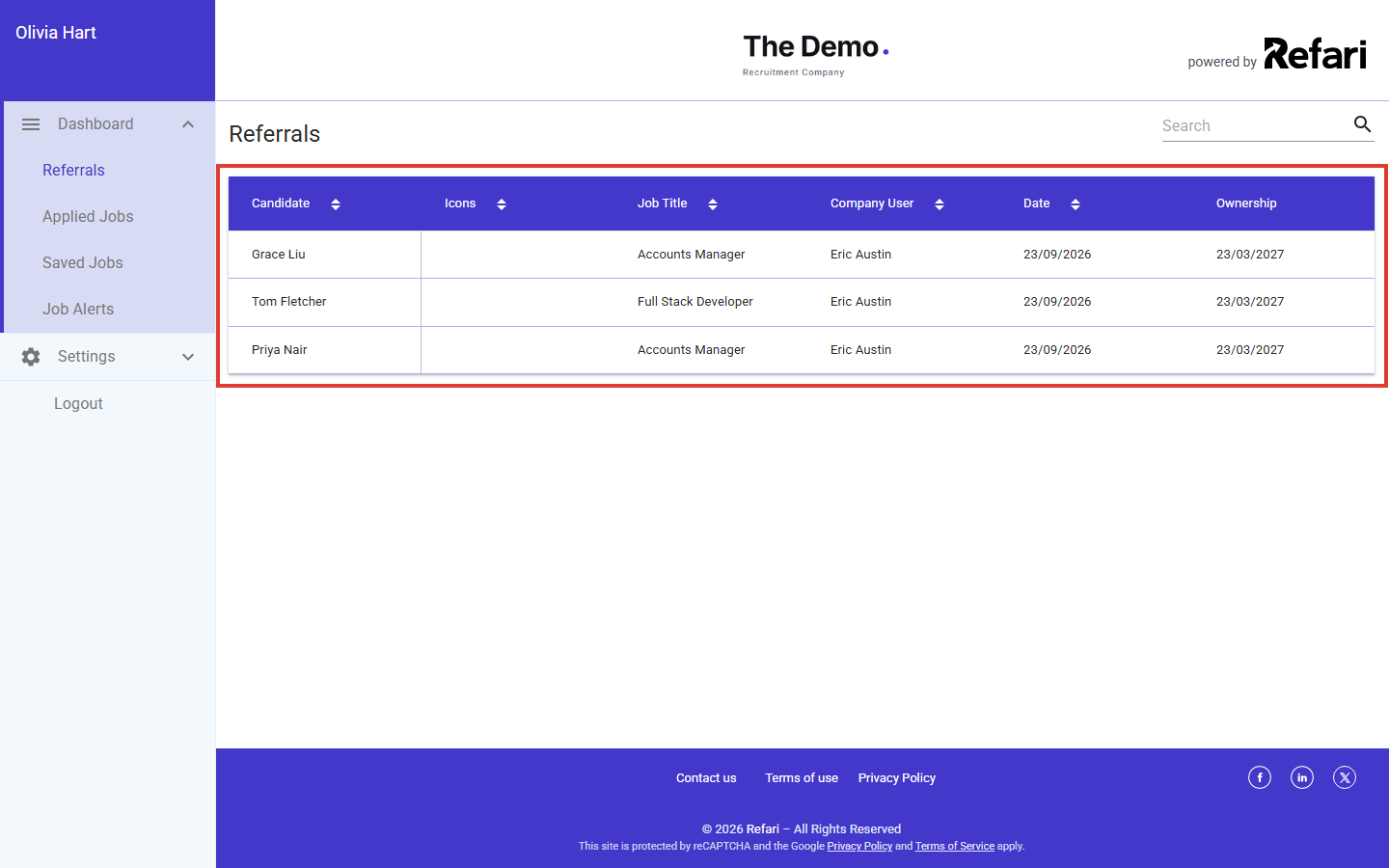
The people they have referred, with the job, the recruiter looking after it, the date and the ownership date. Ownership is the period during which the referrer is credited with that candidate if they go on to be placed. If a referrer's candidate had already been referred to that company by someone else, an icon explains that they do not own the candidate. Clicking a row shows the details they entered, including their message.
Applied Jobs
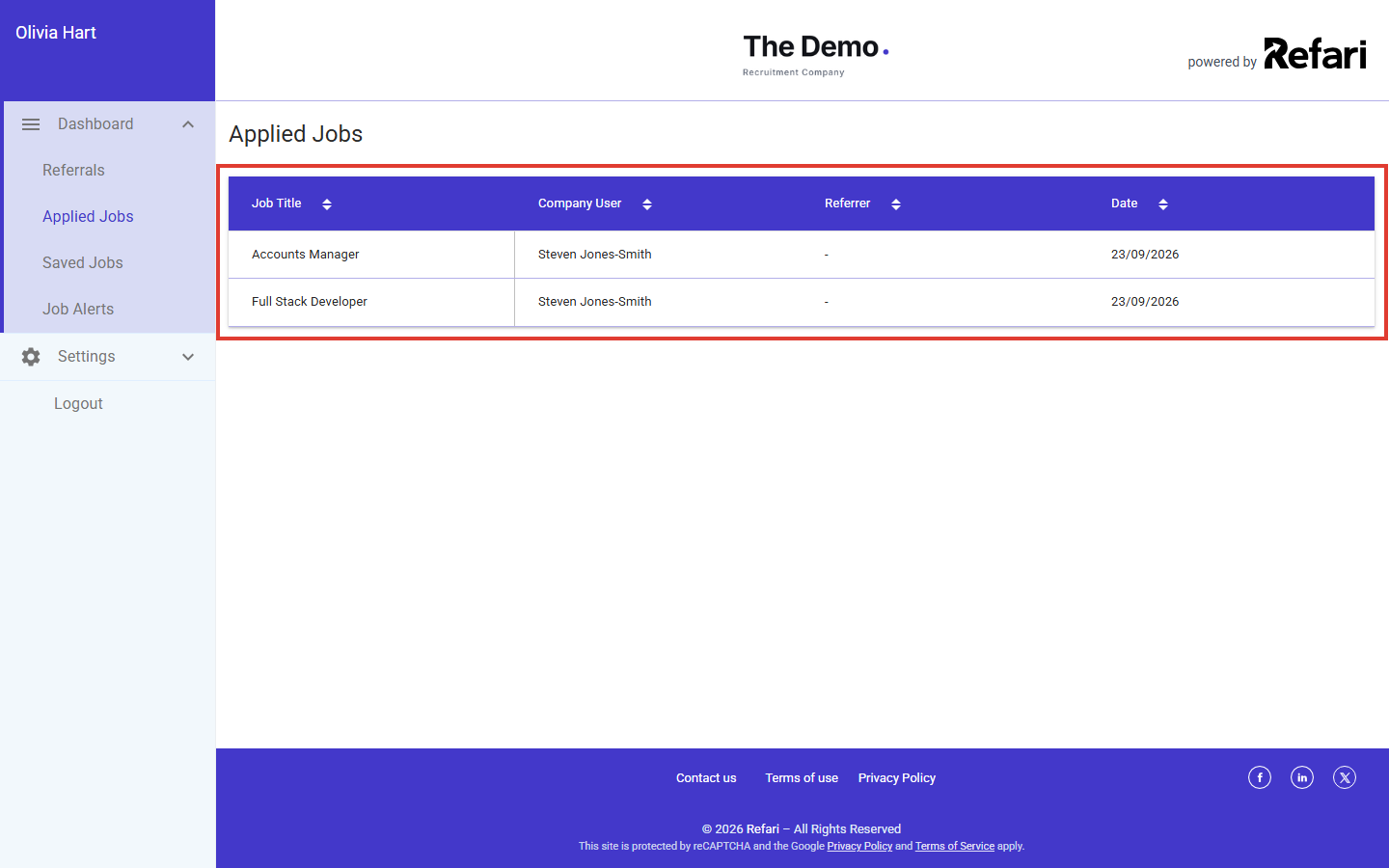
The jobs they have applied for, with the recruiter looking after each one, who referred them (if anyone) and the date. When they have dealt with more than one company, the company name also appears and links to that company's job board. The list records the applications themselves, not their progress.
Saved Jobs
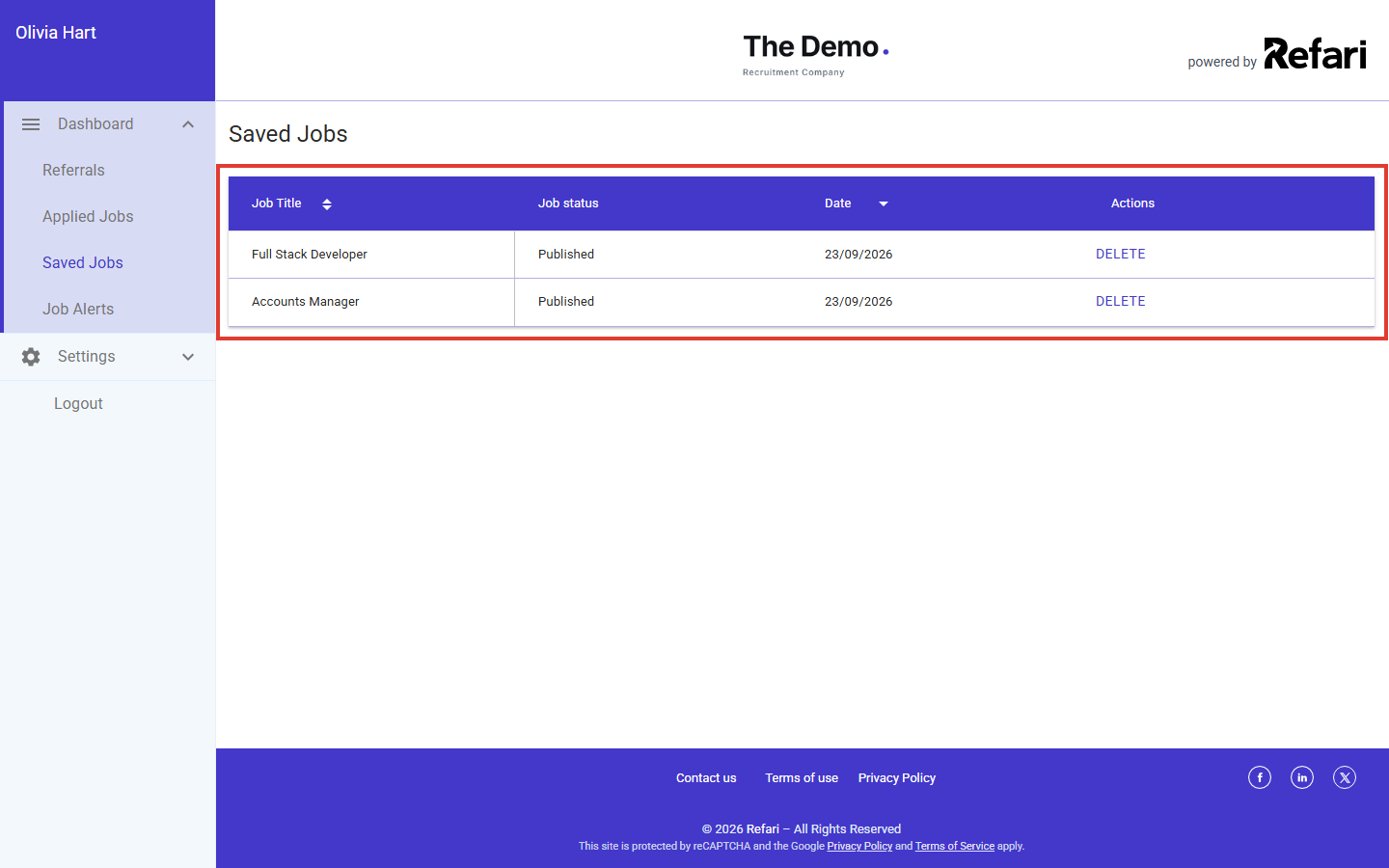
Jobs they have saved to come back to later, showing whether each job is still published. They can open a job or delete it from the list.
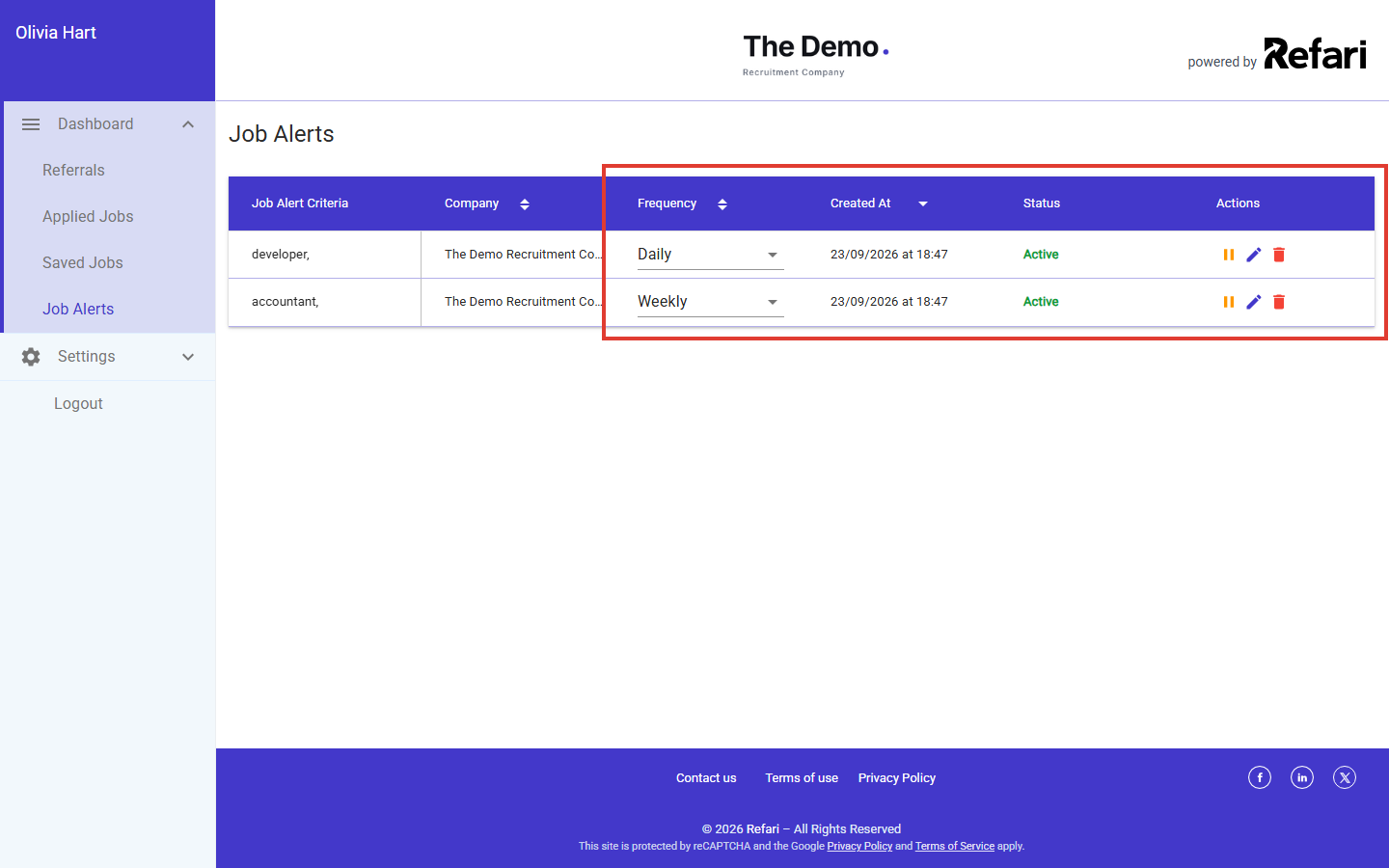
Job Alerts
Every job alert they have set up, and which company it is with. For each alert they can:
- change how often it arrives (daily, weekly, monthly or quarterly)
- pause it for 6, 12, 18 or 24 months, or until a date they choose, and start it again later
- edit what it looks for (keywords, categories, locations, work types and salary)
- delete it
Account Profile and Account Settings
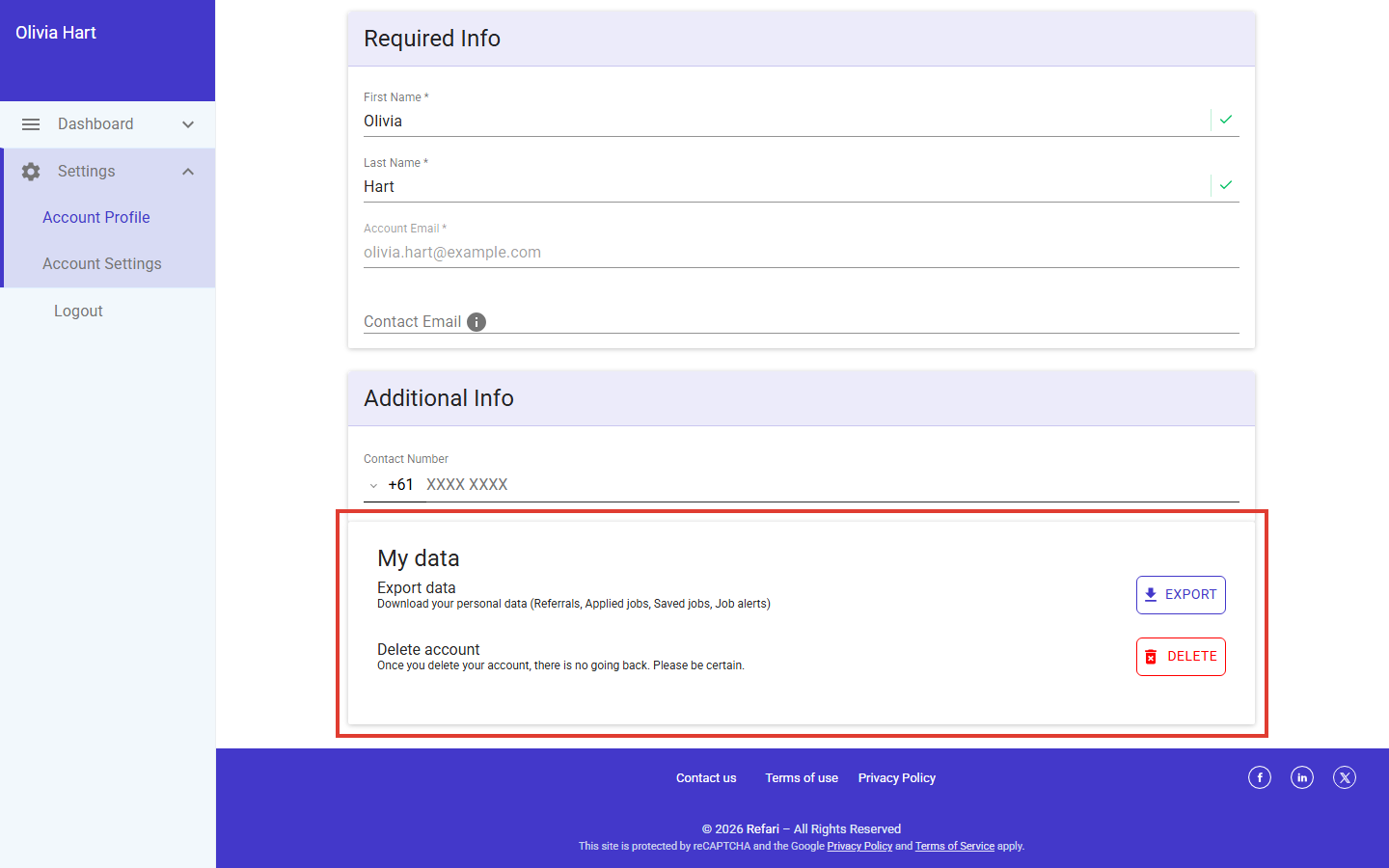
Here they keep their name and contact details up to date and change their password. The My data section lets them:
- Export data: download a copy of their personal data (referrals, applications, saved jobs and job alerts) as a file.
- Delete account: permanently delete their Refari account and the personal data held with it.
They can sign in with their email and password, with Google, LinkedIn or Facebook, or with a one-time sign-in link sent to their inbox, as described in Signing in with a link instead of a password ↗.
What they cannot see
The portal is built only around the person's own activity. It does not include any part of your company dashboard. In the table below, Own means they see only their own records, ✗ means no.
| What a candidate or referrer can see | In their portal |
|---|---|
| Referrals they have made | Own |
| Jobs they have applied for | Own |
| Jobs they have saved and their job alerts | Own |
| Their own profile, password and personal data export | Own |
| Your candidate database, or other people's applications | ✗ |
| Referrals made by other referrers | ✗ |
| Your team, Company Users or recruiter contact lists | ✗ |
| Your company dashboard, reports, settings or billing | ✗ |
| Reward amounts or internal notes about their referrals | ✗ |
Referrers do not see a candidate's progress in the portal. If you want them to hear when their candidate is viewed, interviewed, offered or placed, you can turn on update emails, as explained in Referral transparency: the updates your referrers receive ↗.
Idea: If you are ever shown a screenshot and are not sure whose view it is, look at the top left of the page. It always shows the name of the person who is signed in. A page listing your candidates, your team or your settings comes from a Company User login, never from a candidate or referrer portal.Final Notes
Candidates and referrers get a simple, private space to manage their own activity, and that transparency is a big part of why they keep applying and referring. If a candidate or referrer asks you about their account, you can point them to this article, or contact our support team if something does not look right.
Other articles you might be interested in: Refari Roles | Who you are billed for on Refari (and who is free) | Referral transparency: the updates your referrers receive (and how to control them)
Was this article helpful?
That’s Great!
Thank you for your feedback
Sorry! We couldn't be helpful
Thank you for your feedback
Feedback sent
We appreciate your effort and will try to fix the article