This article explains how to check how your website looks to Google, how to let Ask AI fix what it finds, and how to see who visits your website, what they look at and where they came from. It applies to websites built on the Refari Site Builder.
A few terms you will see: SEO (search engine optimisation) is everything that helps Google understand your pages and show them in search results. A page's title is the blue link people click in Google, and its Google description (sometimes called a meta description) is the short text under that link. An image's description (alt text) is what a screen reader reads out to someone who can't see the image.
Note: Everyone with access to Your website can open the SEO and Traffic screens, Viewers included. Enquiry figures on the Traffic screen only show to people who can read your enquiries.Checking your SEO
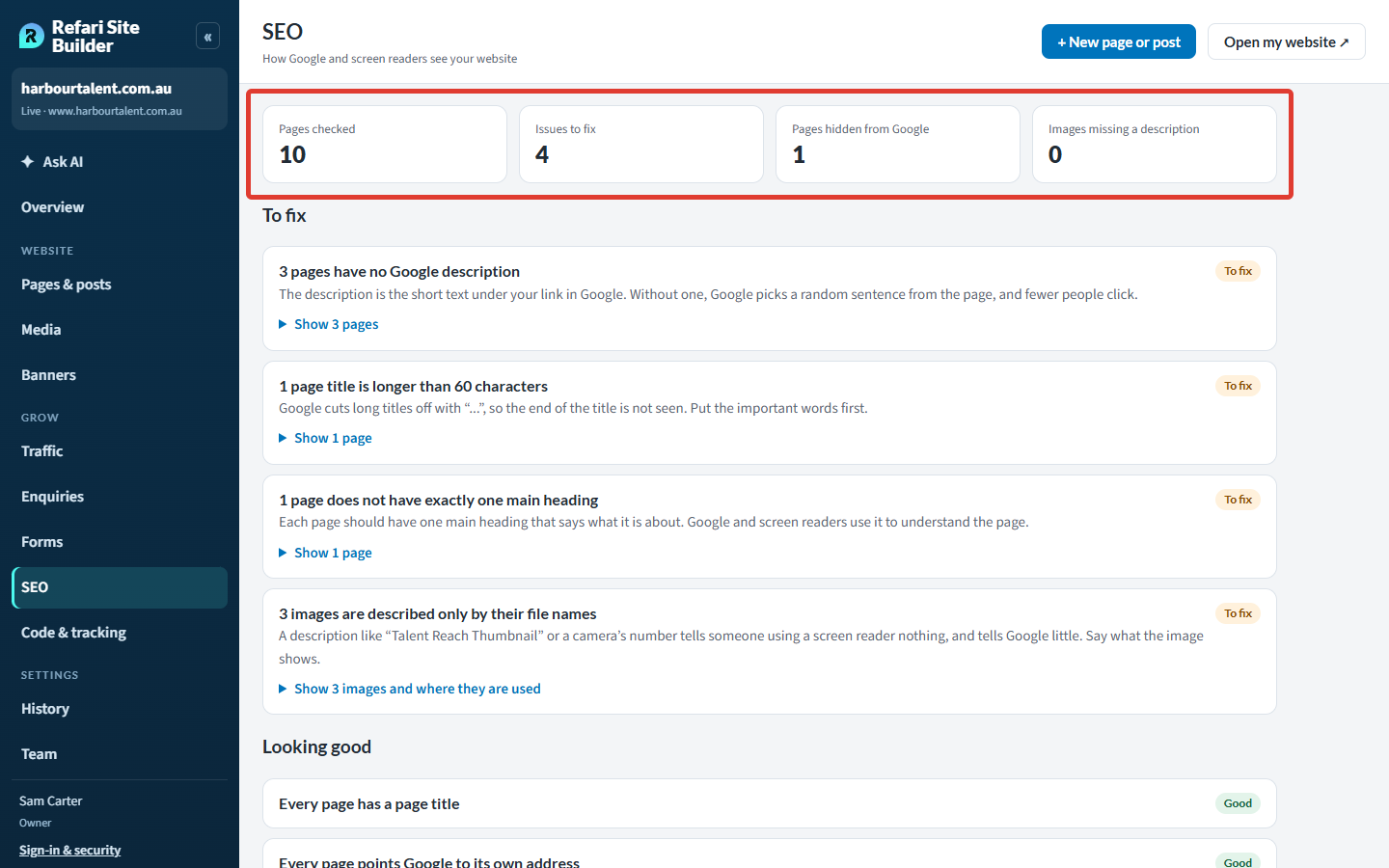
Open Grow > SEO in the left-hand menu. Refari checks every page of the version of your website that is live now. The boxes at the top count the pages checked, the issues to fix, the pages hidden from Google and the images with no description.
What it checks
Each check shows under To fix, with a short explanation of why it matters, or under Looking good when every page passes:
| Check | What it looks for |
|---|---|
| Page titles | Every page has a title, no two pages share one, and none is longer than 60 characters (Google cuts longer ones off). |
| Google descriptions | Every page has one, and none is longer than 155 characters. |
| Main heading | Every page has exactly one large heading saying what it is about. |
| Canonical address | Every page names its own address as the one Google should show, not another page's. A page pointing elsewhere may be left out of search results. |
| Images | Every image has a description, no description is just the image's file name (such as "IMG 20250314 4471"), and no image is missing from the website. |
Problems marked Important affect how your website shows in Google or break something visitors see, so start with those. Ones marked To fix are worth tidying.
Seeing which pages are affected
Select Show pages under a problem to list them. View opens a page on your website; In Pages & posts finds it in your list.
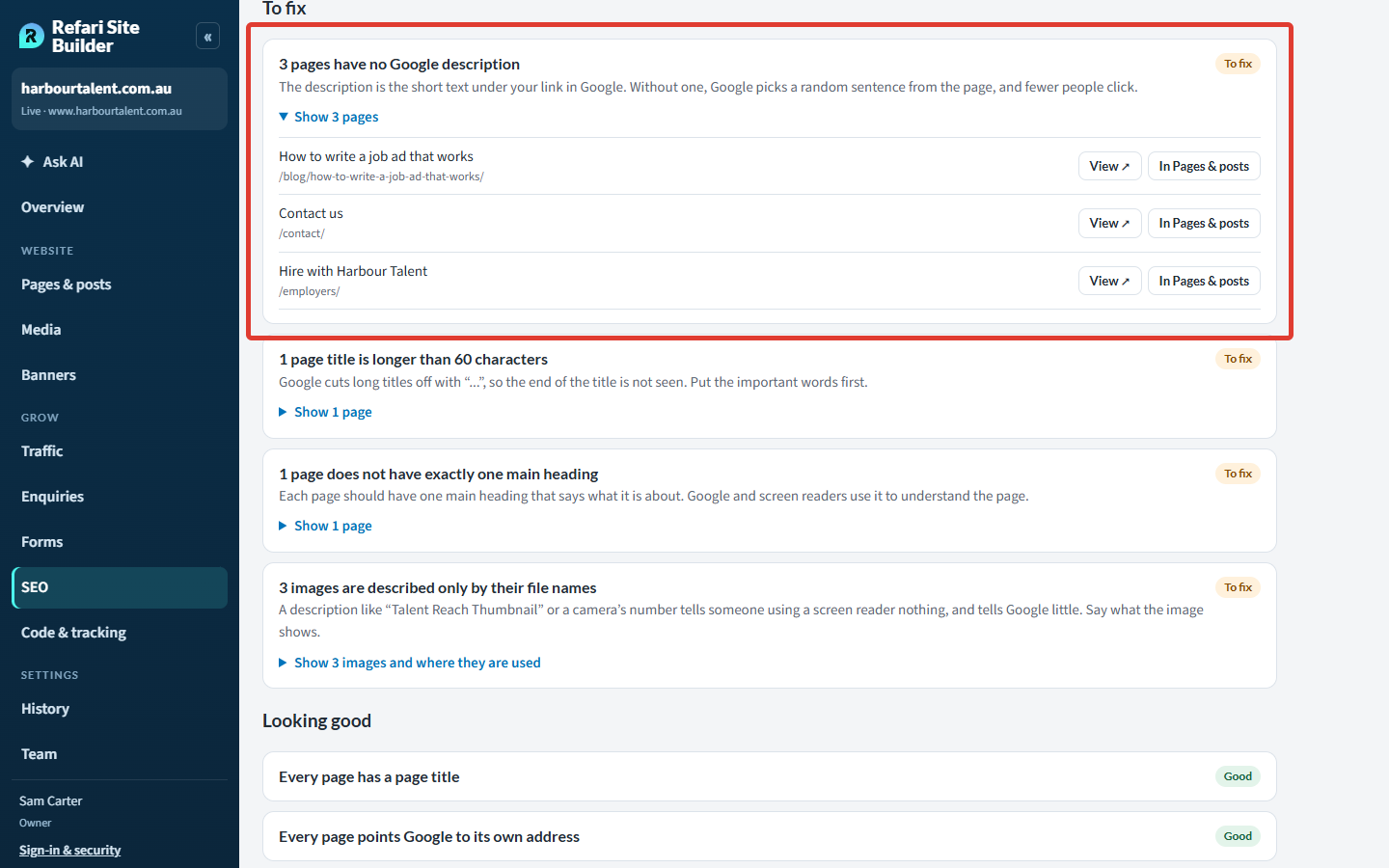
Further down, Hidden from Google lists pages that ask Google not to list them, which is right for ad landing pages and pages made for one client. If a landing page Ask AI made for you should be in Google, ask Ask AI to show it on Google. For any other page, raise a ticket and the Refari team will change it.
Letting Ask AI fix what it finds
Ask AI can make most of these fixes for you. If you are new to it, How to edit your website with Ask AI ↗ explains how to start a conversation.
- Open Ask AI from the left-hand menu and ask "Is my SEO OK?". It runs the same checks and tells you, in plain words, what is worth fixing first.
- Say what you want fixed: "Fix it" for one page, a page by name ("Fix the contact page"), or "Fix all of these" for every page with the problem. For images described only by their file name, Ask AI looks at each photo and writes a real description.
- Ask AI shows its plan first. Nothing changes until you confirm it, and you review and publish the result like any other change.
Where a fix needs the Refari team (a title set by your website's layout, say), Ask AI says so and offers to send it to us.
Seeing your website's traffic
Open Grow > Traffic to see who visited your website and what they looked at. Choose 7 days, 30 days or 90 days, and whether to compare with the days before. The boxes at the top show Visits (people arriving from another website, an app or a bookmark), Page views, Pages per visit and Enquiries sent from your website's forms.
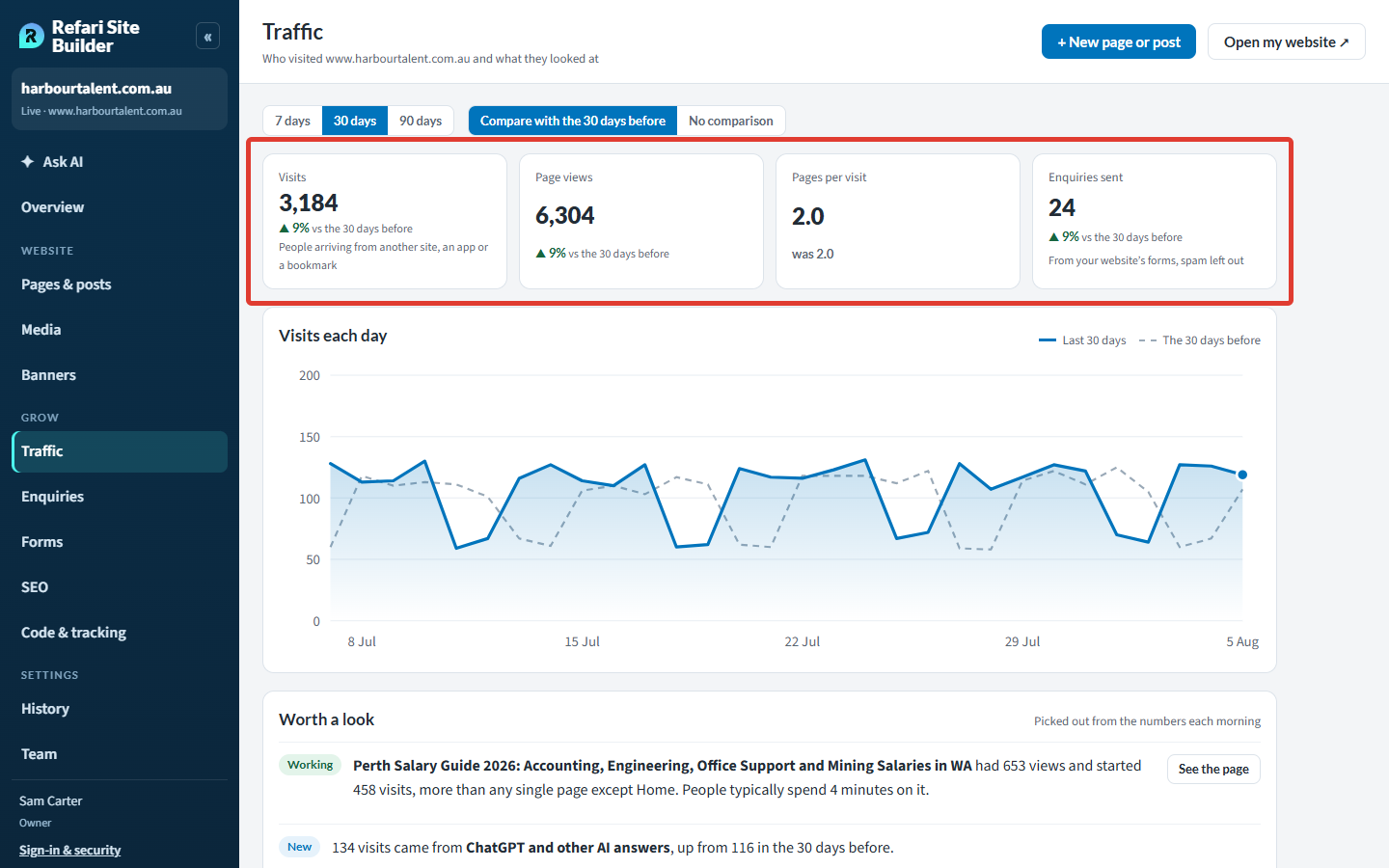
Further down the screen:
- Worth a look picks out what stands out, such as a page doing well or a new source of visits.
- Pages people look at lists every page with its views, typical time on the page and enquiries. Select a page for how its visitors found it and where they went next.
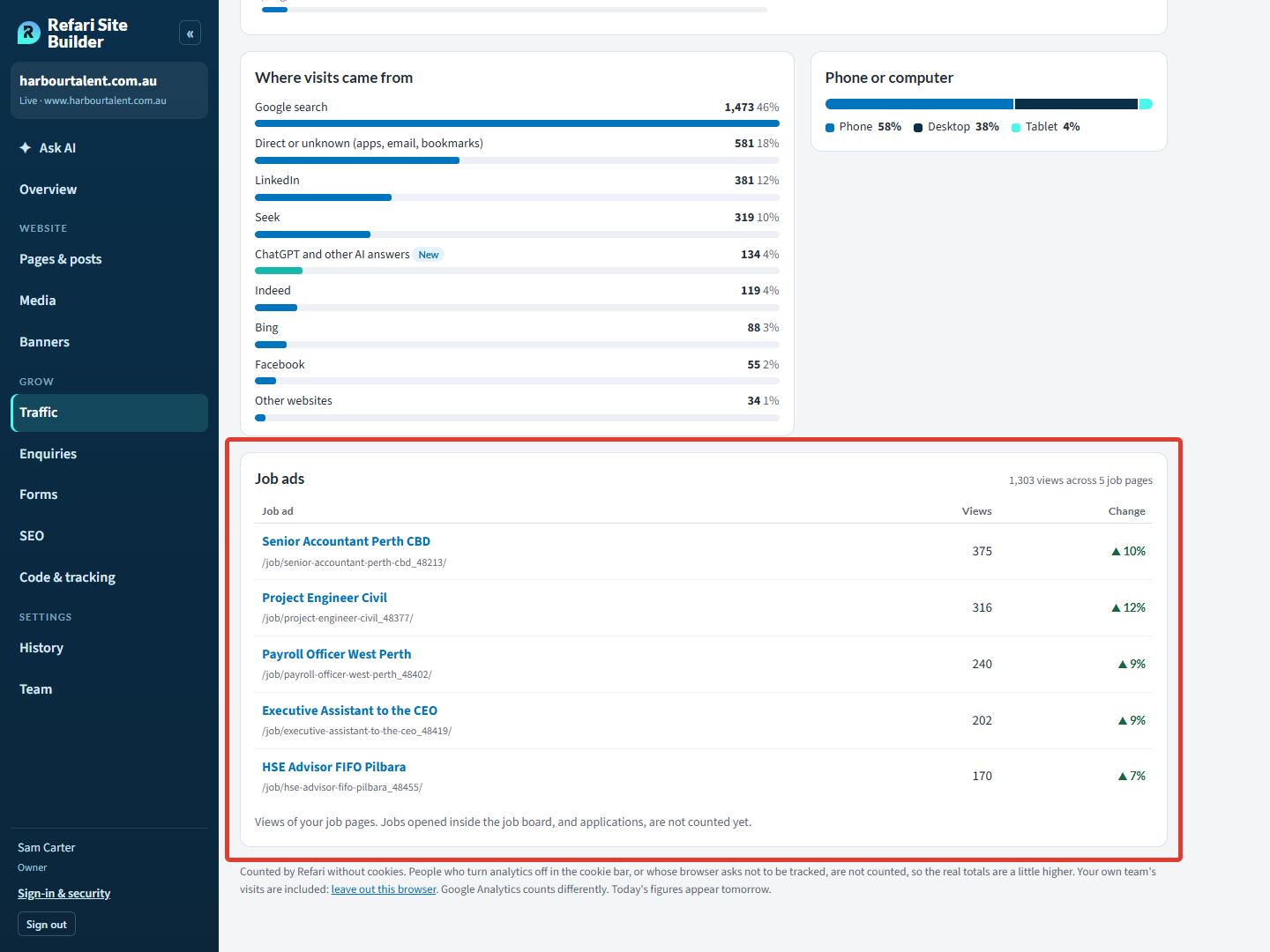
- Where visits came from: Google search, LinkedIn, Seek, Indeed, ChatGPT and other AI answers, and more. Phone or computer sits beside it.
- Job ads lists the views of each of your job pages.
Note: Refari counts visits itself, without cookies, so Traffic works with or without Google Analytics, whose numbers won't match exactly. People who switch analytics off in your cookie bar are not counted, so real totals are a little higher. Today's figures appear tomorrow. Job ads opened inside the job board, and applications, are not counted yet.Your team's visits count too: select leave out this browser at the bottom of the screen to leave yours out. If Traffic says Visit counts are not switched on, raise a ticket with us and we'll switch them on for your website.
Asking Ask AI how your website is doing
Ask "How is my website doing this month?" or "How many people saw our Senior Accountant job ad?" and Ask AI answers from the same numbers as the Traffic screen. Where visit counts aren't switched on, it points you to Google Analytics instead.
Final Notes
Check the SEO screen every month or so and let Ask AI fix what it can, then use Traffic to put your effort where the visits are.
Other articles you might be interested in: How to edit your website with Ask AI | Analytics, tracking and cookies on your Refari website
Was this article helpful?
That’s Great!
Thank you for your feedback
Sorry! We couldn't be helpful
Thank you for your feedback
Feedback sent
We appreciate your effort and will try to fix the article