This guide explains how to sign in to Refari using a sign-in link emailed to you, instead of typing a password. It covers where to find the option, how long a link lasts, who can use it, what the error messages mean, and why the feature is safe to use.
Idea: Nothing changes about your password. It still works exactly as before, and you can keep using it. A sign-in link is simply a faster door for the times you cannot remember it, or you are on a phone and would rather not type it.What a sign-in link is
A sign-in link is a one-off web address that Refari emails to you and that signs you in when you click it. You give us your email address, we send the link, you click it, and you are in. There is no password to remember and nothing to reset.
It proves who you are in a different way to a password. A password proves you know a secret; a sign-in link proves you can read the inbox the account belongs to. That is why clicking one also confirms your email address, if it was not already confirmed.
How to sign in with a link
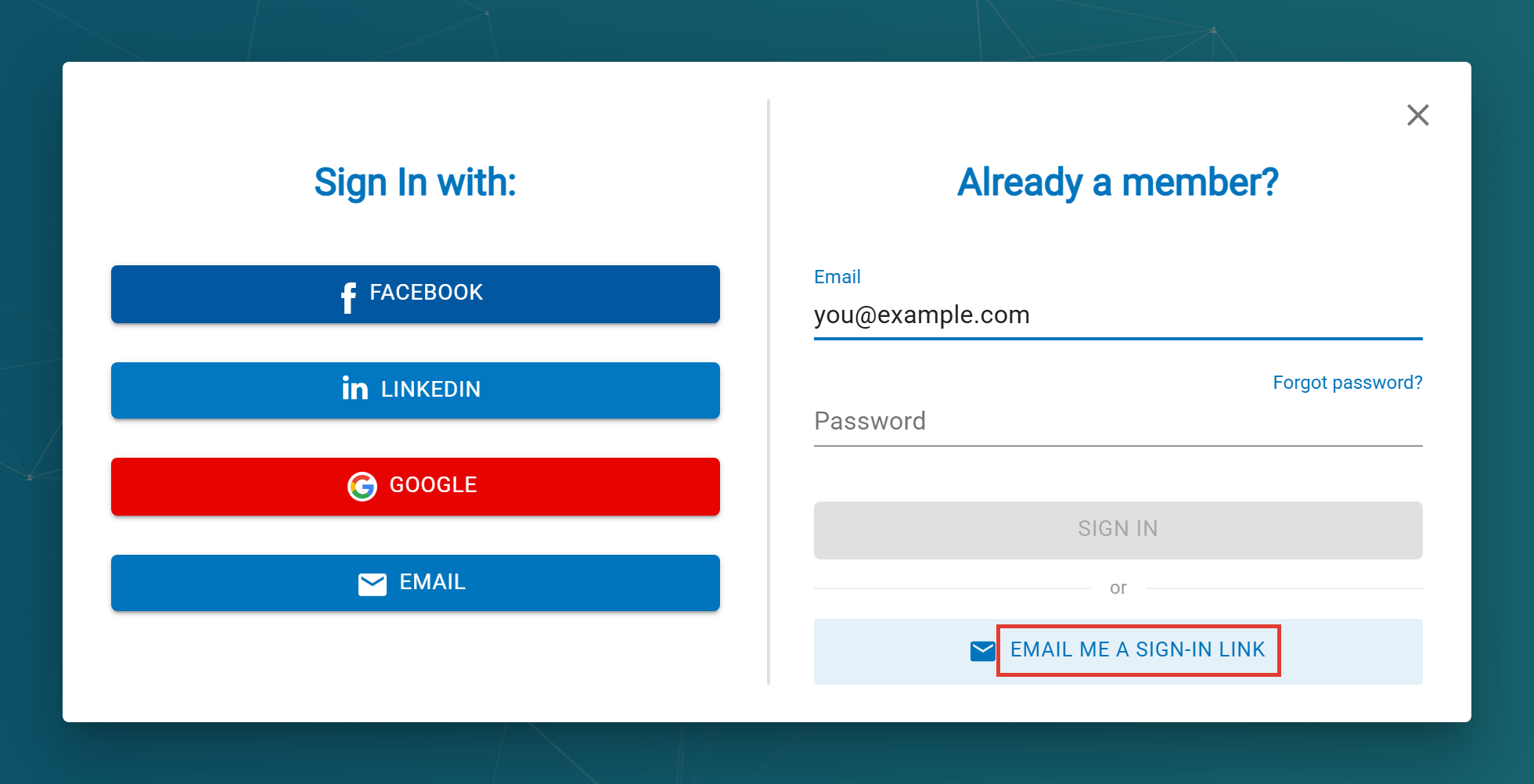
- Go to the sign-in window as you normally would and click SIGN IN / SIGN UP.
- Type your email address into the Email field. Leave the password field empty.
- Click the EMAIL ME A SIGN-IN LINK button, below the SIGN IN button and the word "or".
- You will see a message telling you that if an account exists for that address, a link is on its way.
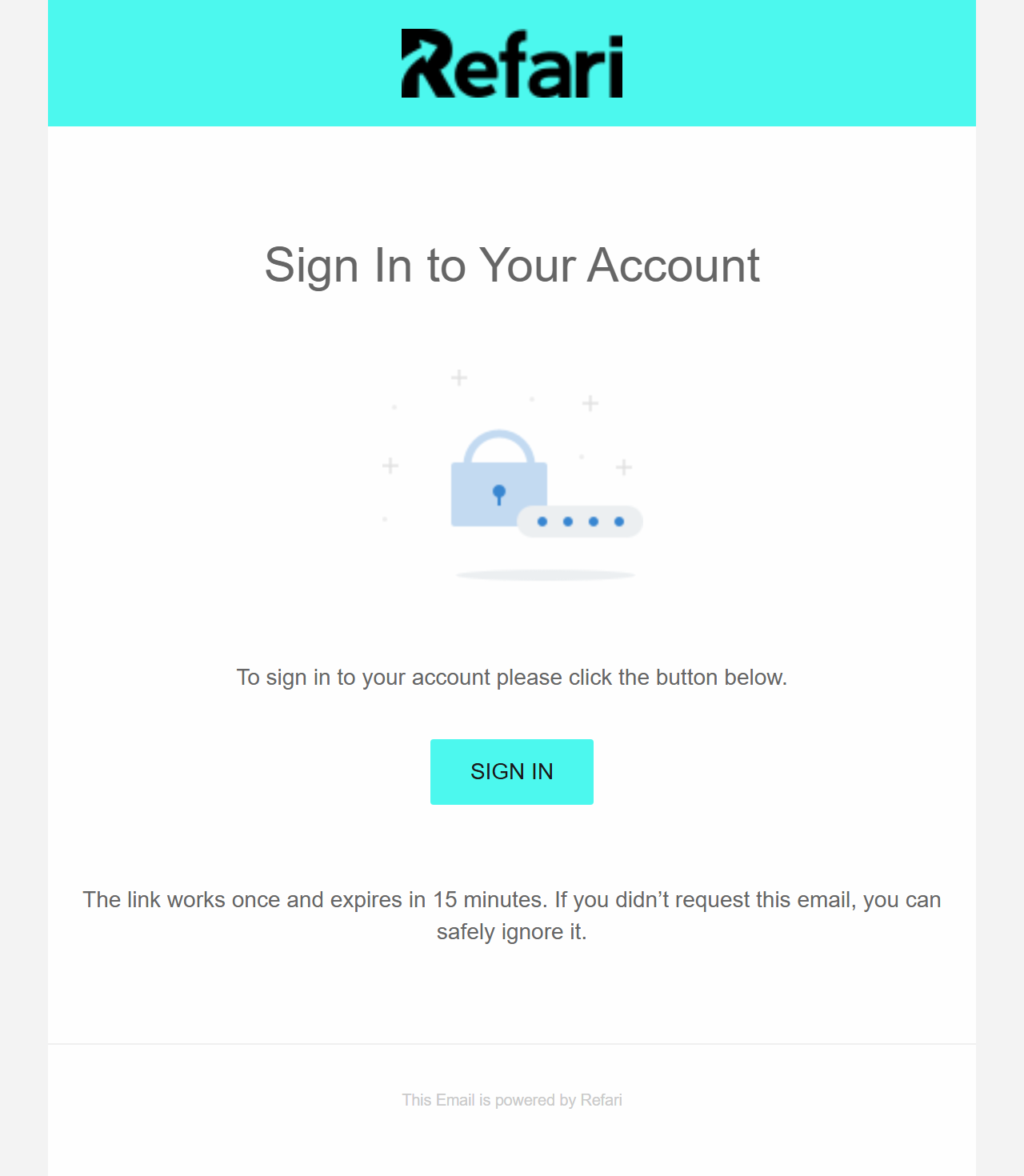
- Open the email and click the button inside it. You are signed in, on the same device you clicked from.
How long a link lasts
Sign-in links are deliberately short-lived, because a link that signs someone in is worth protecting. Three rules govern them.
| Rule | What it means for you |
|---|---|
| It expires after 15 minutes | Use it while you are still at your desk. If you come back to the email an hour later it will no longer work, and you simply request another. |
| It works once | The link signs you in one time and is then spent. Clicking it again, or forwarding it to yourself on another device, will not work. |
| A new link cancels the old one | Only your most recent link is live. If you click Email me a sign-in link twice, the first email is dead, so always use the newest one in your inbox. |
Note: That third rule catches people out. If you request a link, do not see it arrive, request another, and then the first one turns up first, clicking that first email will tell you the link is not valid. Scroll to the newest email and use that one.Where you can use it, and who can
The option appears wherever you normally sign in to Refari: on your dashboard, and on the sign-in window of a Job Board or Talent Board on your website. The link you receive takes you back to whichever of those you asked from, so a candidate who requests one from your careers page lands on your careers page, not on our dashboard.
Anyone who can sign in with a password can sign in with a link. That covers recruiters and other company users, hiring managers, and candidates or referrers with an account on your boards. The one exception is a company user whose companies have all been deactivated, and they cannot sign in with a password either, so nothing changes for them.
If something goes wrong
Refari tells you exactly which of the three things went wrong, so the message you see points at the fix.
| What you see | What to do |
|---|---|
| "This sign-in link has expired." | More than 15 minutes have passed. Request a new link and use it straight away. |
| "This sign-in link has already been used." | You have already signed in with it. If you are still not signed in on this device, request a fresh link. |
| "This sign-in link is not valid." | Usually an older email after you requested a second link, or a link mangled by an email client that broke it across two lines. Use the newest email, and click the button rather than copying the address by hand. |
The email never arrived
Work down this list before contacting us, because the first two causes account for nearly all of it.
- Check your spam or junk folder. A first-time email from a new address often lands there.
- Check the address you typed. A link is only sent if an account actually exists for that exact address, so a typo produces no email at all.
- Give it a minute. The email is sent in the background, so it can take a short while to appear rather than arriving instantly.
- Do not keep clicking. There is a limit of ten link emails an hour to any one address. Requesting over and over will eventually stop new emails being sent, and you will be waiting on the limit rather than the email.
Is it safe?
It is a common and reasonable question, so here is what actually happens behind the option.
- The message never confirms whether an account exists. You always see the same "if an account exists" wording, whether the address is one of ours or not. That is deliberate: it stops anybody using the form to work out who has a Refari account.
- The link is not stored anywhere we can read it. Refari keeps only a scrambled fingerprint of it, so the working link exists solely in your email.
- Two-factor authentication still applies. If your account requires a second step, a sign-in link does not skip it. You will still be asked for your code.
- Link sign-ins are recorded like any other. They appear in your account's sign-in history and still trigger the alert we send when an account is used from an unfamiliar place.
- Requests are rate limited. There are caps on how many links can be sent to one address and how many can be requested from one connection, so the form cannot be used to flood an inbox.
Note: Treat a sign-in link like a password while it is alive. For those 15 minutes, anybody holding it can sign in as you, so do not forward it on. If you receive one you did not ask for, you can safely ignore it: an unused link expires on its own, and its arrival does not mean anybody has got into your account.Final Notes
A sign-in link is also the quickest way back in when your password is the problem rather than the solution, for example when you are certain it is right but it keeps being refused. It gets you into your account without a reset, and you can then set a new password from your profile at your own pace.
If you have worked through this article and still cannot get in, contact your Company Admin first. They can confirm your account is active and that your email address is the one we hold, which is the most common cause.
Other articles you might be interested in: Why you keep getting logged out of your Refari job board | Refari Data Security
Was this article helpful?
That’s Great!
Thank you for your feedback
Sorry! We couldn't be helpful
Thank you for your feedback
Feedback sent
We appreciate your effort and will try to fix the article