This article explains how to change a page's address, take a page off your website, manage redirects, check which pages Google can see, and make a private page only the people you choose can open, on a website built on the Refari Site Builder.
A few terms you will see: a page's address (or URL) is the part after your domain, such as /contact/ in www.yourwebsite.com.au/contact/. A redirect sends anyone who opens an old address, Google included, straight on to another page, so old links and Google rankings keep working. Your sitemap is the list of pages your website gives Google.
Note: A Contributor can ask for an address change, but only an Editor or Owner can make it live, take a page off or change a redirect. If your website still runs on WordPress, this article does not apply yet.Starting from a page
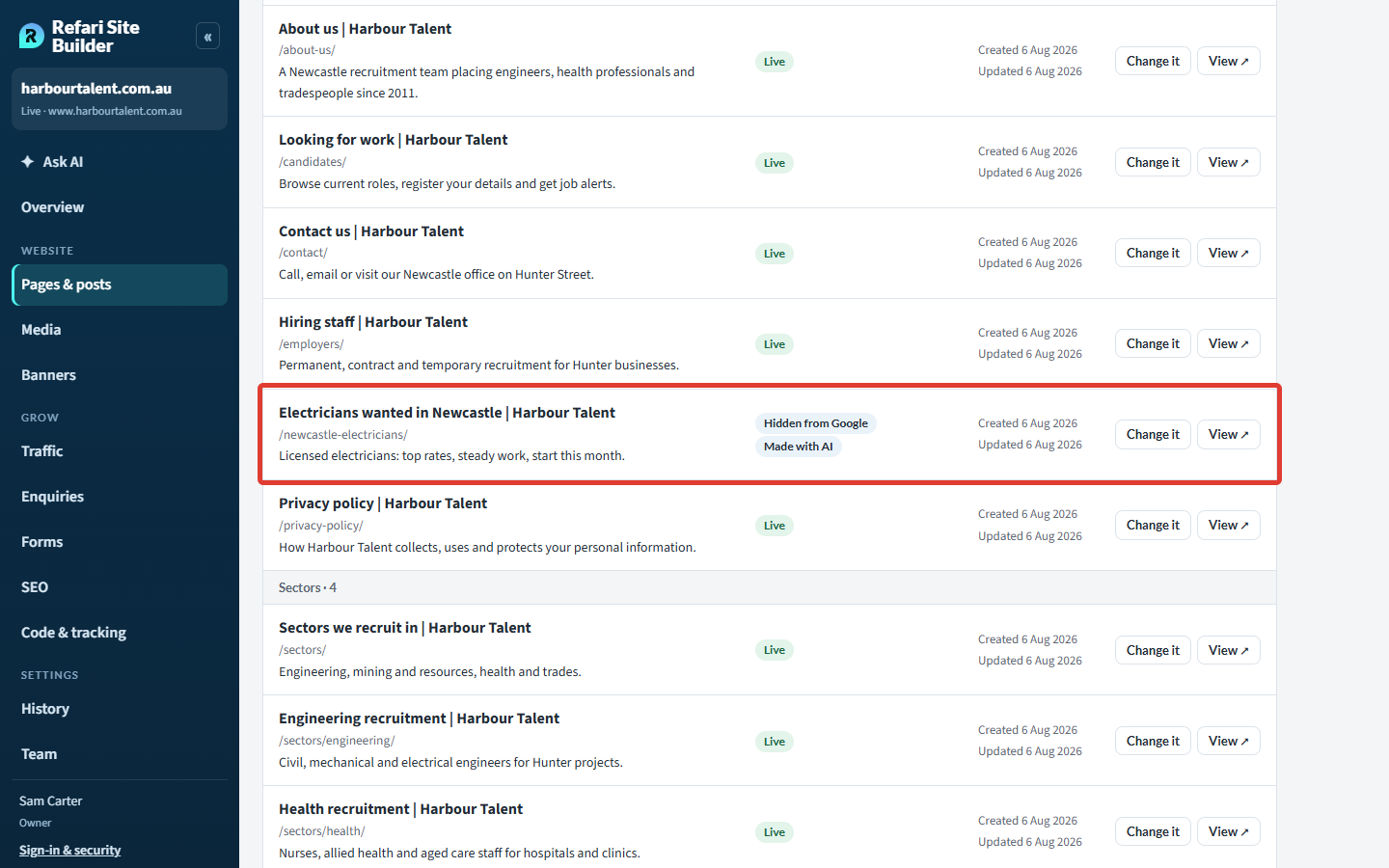
Open Website > Pages & posts in the left-hand menu. Every page shows its address, a Live or Hidden from Google chip, and a Change it button. Change it opens Ask AI on that page, where its card offers Change the address, Hide it from Google (or Show it on Google) and Take it off the website.
You can also just type what you want in Ask AI: How to edit your website with Ask AI ↗ explains how to start.
Changing a page's address
Tell Ask AI the new address, for example "Change the address of the electricians page to /newcastle-electricians/". Before anything changes, its plan shows the old and new address, every menu item and link that will point to the new one, and the redirect from the old address, so nobody lands on a missing page.
Press the button on the plan to make it live. Some pages, such as the home page and blog posts, keep their addresses: Ask AI says why.
Taking a page off and sending its visitors elsewhere
Ask, for example, "Take the Old Markets page off and send people to Sectors". If you don't say where, Ask AI suggests the closest pages. Its plan shows the page coming off with its menu items, its links pointing to your chosen page, and the redirect from its address.
Changed your mind? Until something newer is published, the card offers Yes, put it back (or Yes, move it back), redirect included. After that, Settings > History can.Adding or removing a redirect yourself
Moving or taking off a page makes its redirect for you. For any other old address, open Grow > SEO and scroll down to Redirects:
- Enter From the old address, for example /meet-the-team/.
- Enter To a page on your website, for example /about-us/.
- Press Add redirect. It shows Being added, then Live within a couple of minutes.
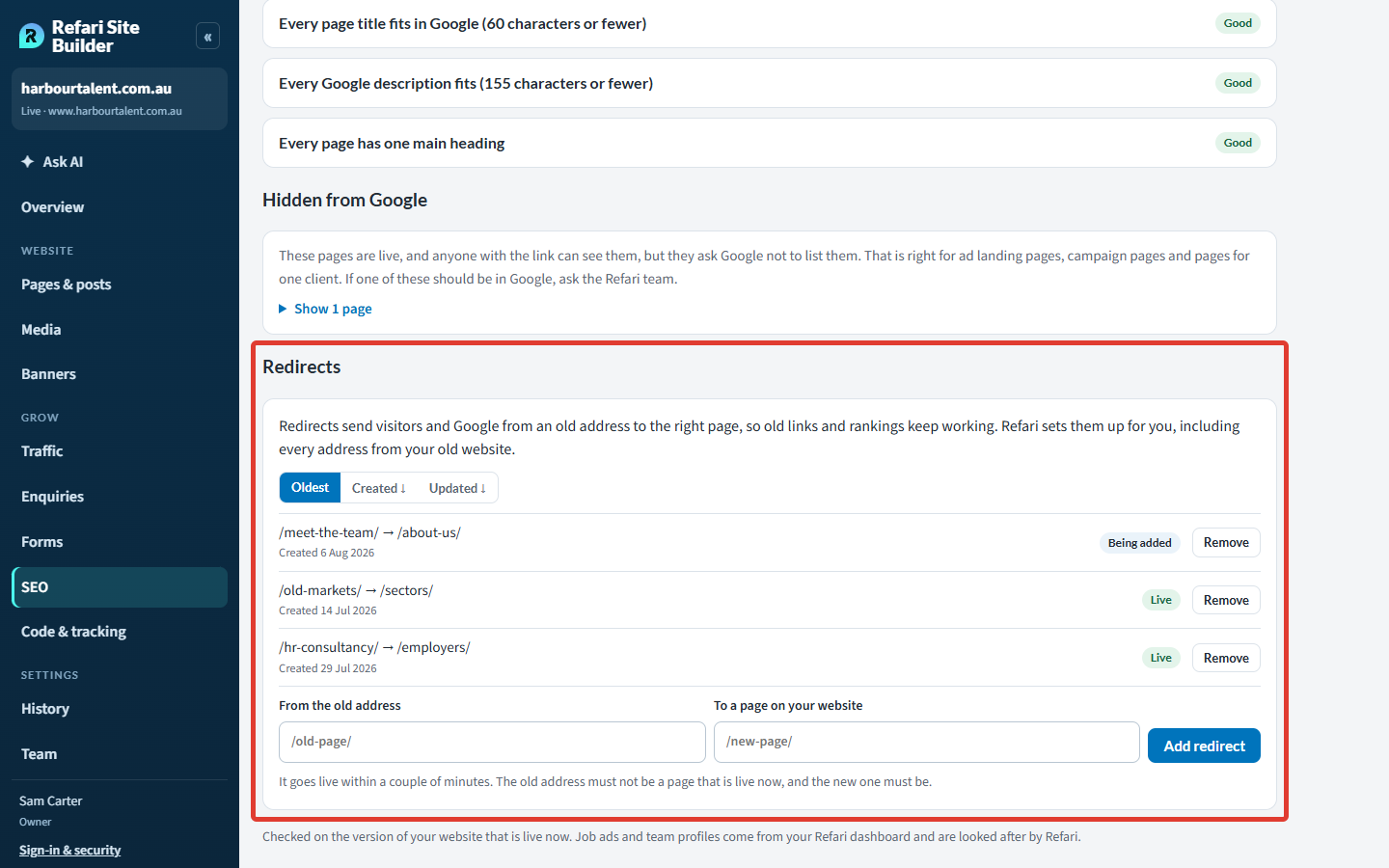
Remove beside a redirect takes it off, again within a couple of minutes. Ask AI can do both too: "Redirect /meet-the-team/ to the About us page".
The old address can't be a live page, the new one must be, and both must be on your own website. A website can have up to 200 redirects.
Refari set up redirects for your previous website's addresses when it moved to the Site Builder, so you won't need to add those.
Showing or hiding a page on Google
Pages that ask Google not to list them show Hidden from Google in Pages & posts and on the SEO screen. That is right for advert landing pages.
- A campaign landing page made with Ask AI starts hidden from Google. When you want it found, ask "Let Google see the Newcastle electricians page now" (or "Hide it from Google" to reverse it). Your sitemap is updated to match.
- Any other page: raise a ticket and the Refari team will change it for you.
Your sitemap updates itself as pages are added, moved or taken off. Each page's share picture (shown when its link is posted on LinkedIn or Facebook) is set for you too, and Ask AI can change it.
Private pages
A private page sits on your own website, but only the people you choose can open it: a fee schedule for your clients. It is never in your menu, your sitemap or Google.
Making one
Ask AI, for example "Make a private page with our fee schedule that only our clients can see", and say who may see it: email addresses, or anyone at a company's email domain such as acmemining.com.au. A free email domain such as gmail.com can't be opened to everyone, so add those people one address at a time. An Editor or Owner publishes the page.
What your visitor sees
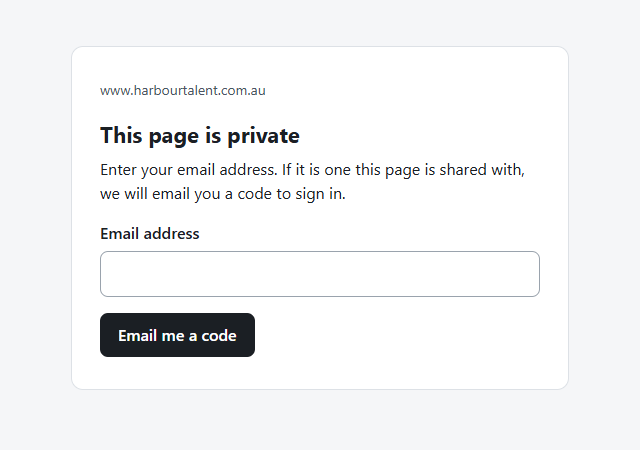
A visitor enters their email address and, if the page is shared with them, is emailed an eight-digit code that works once, for 10 minutes. They then stay signed in for eight hours.
Changing who can see it, and who looked
Just ask: "Share the fee schedule with jane@acmemining.com.au", "Take bigclient.com off the fee schedule" or "Who has looked at the fee schedule?". Someone taken off loses access straight away. Who looked covers the last 90 days and is shown to Owners and Editors, never to someone from an outside agency.
Prefer a password? A private page can open with one shared password instead, like a WordPress password page. Refari sets these up: raise a ticket.Final Notes
Let Ask AI move and take off pages rather than rebuilding them, so the redirect and every link are handled together.
Other articles you might be interested in: How to edit your website with Ask AI
Was this article helpful?
That’s Great!
Thank you for your feedback
Sorry! We couldn't be helpful
Thank you for your feedback
Feedback sent
We appreciate your effort and will try to fix the article