The Activity and Communications pages both hold long lists: everything happening across your company, and every email Refari has sent on your behalf. This guide covers how to narrow either list with the filter chips, how to look at several groups at once, and how to keep or share the view you have built.
The two pages
You will find both in your left-hand menu, under Dashboard.
- Activity is the record of what has happened in your company's Refari account: applications arriving, adverts going out, candidates and clients being added, job alerts, testimonials and talent board activity.
- Communications is the record of the emails Refari has sent for you, with who received each one and whether it was delivered.
Filtering with chips
Above the list is a row of chips: one labelled button per group, each with its own colour. The chips are always visible, so you can see what you are looking at without opening anything.
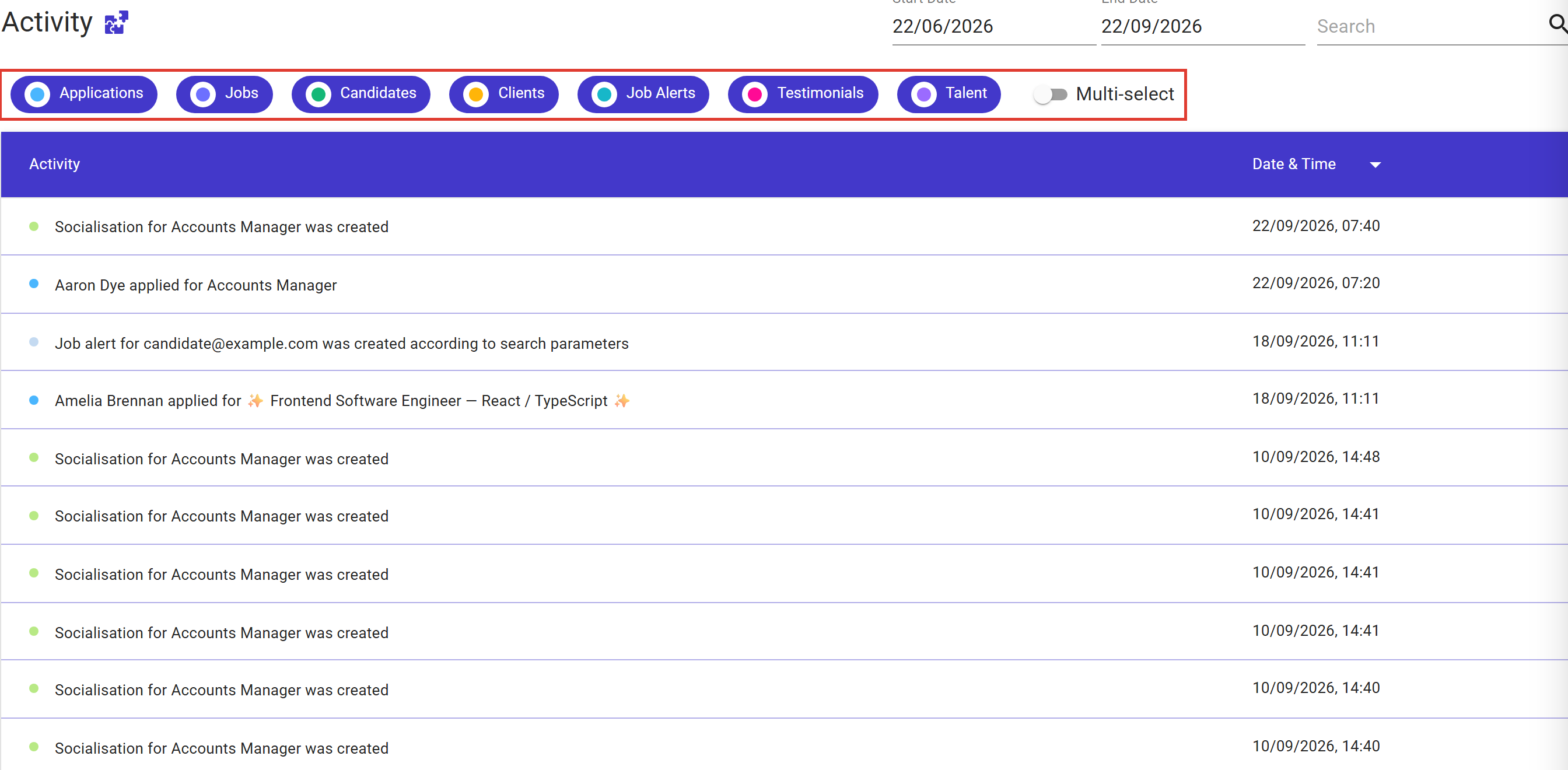
- Click a chip to see only that group.
- Click it again to go back to everything.
A chip that is on is filled in; a chip that is off is outlined and paler. Below, only Applications is on, so the list holds applications and nothing else.
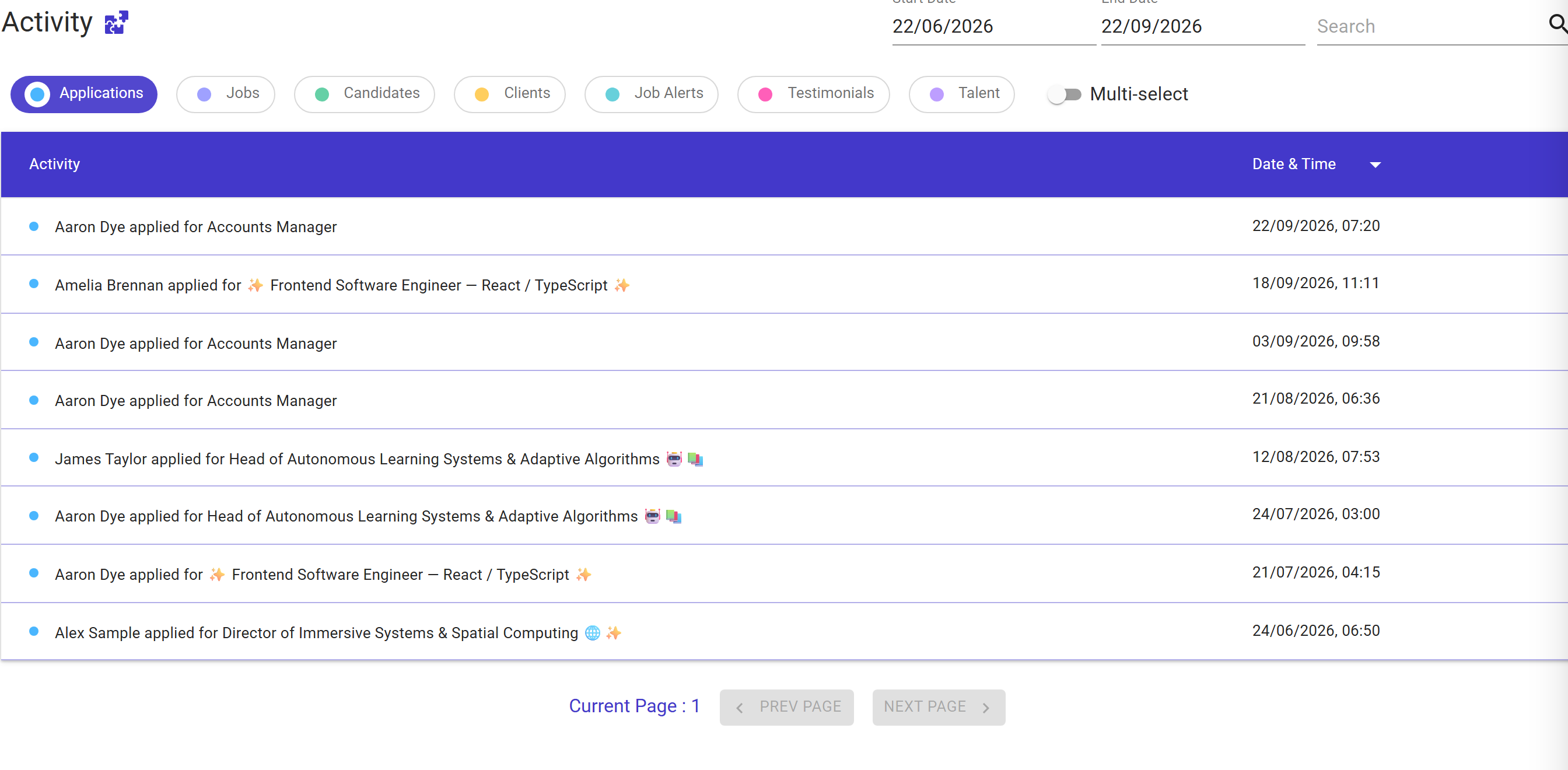
The chips on Activity
Activity records 26 different kinds of entry, which is far too many to pick from one at a time. They are gathered into seven chips.
| Chip | What it covers |
|---|---|
| Applications | People applying for your jobs, however they arrived. |
| Jobs | Your jobs and job adverts, including sharing and socialising them. |
| Candidates | Candidate records being created and updated. |
| Clients | Client activity. |
| Job Alerts | Job alerts being created or removed, and the suggestions that come from them. |
| Testimonials | Testimonials and ratings collected through TopRec. |
| Talent | Talent board and talent alert activity. This chip appears only if your company has the Talent Board switched on. |
The chips on Communications
Communications works exactly the same way, with a chip for each kind of email Refari sends: System Emails, Internal, Referral, Job Alert, Job Actions, TopRec, Registration, Talent Board and Talent Alert. So you can look at just your job alert emails, or just your TopRec emails, without reading past everything else.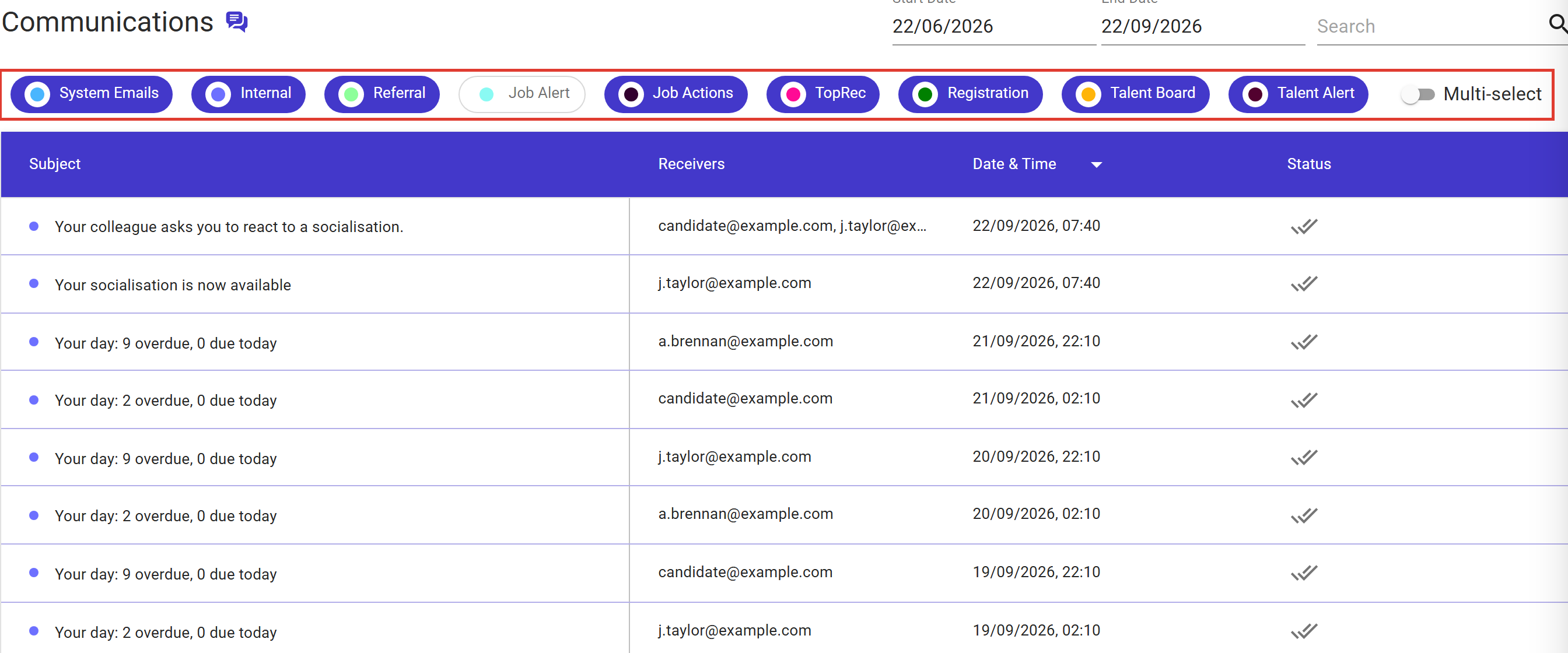
Note: The Job Alert chip starts switched off, so job alert emails are not in the list until you click it. That is deliberate: they are by far the highest-volume email Refari sends, and leaving them out keeps everything else readable. Click the chip whenever you want them.Looking at several groups at once
Turn on the Multi-select switch beside the chips and each click adds a group to what you are already looking at, rather than replacing it. That is how you put applications and job alerts side by side.
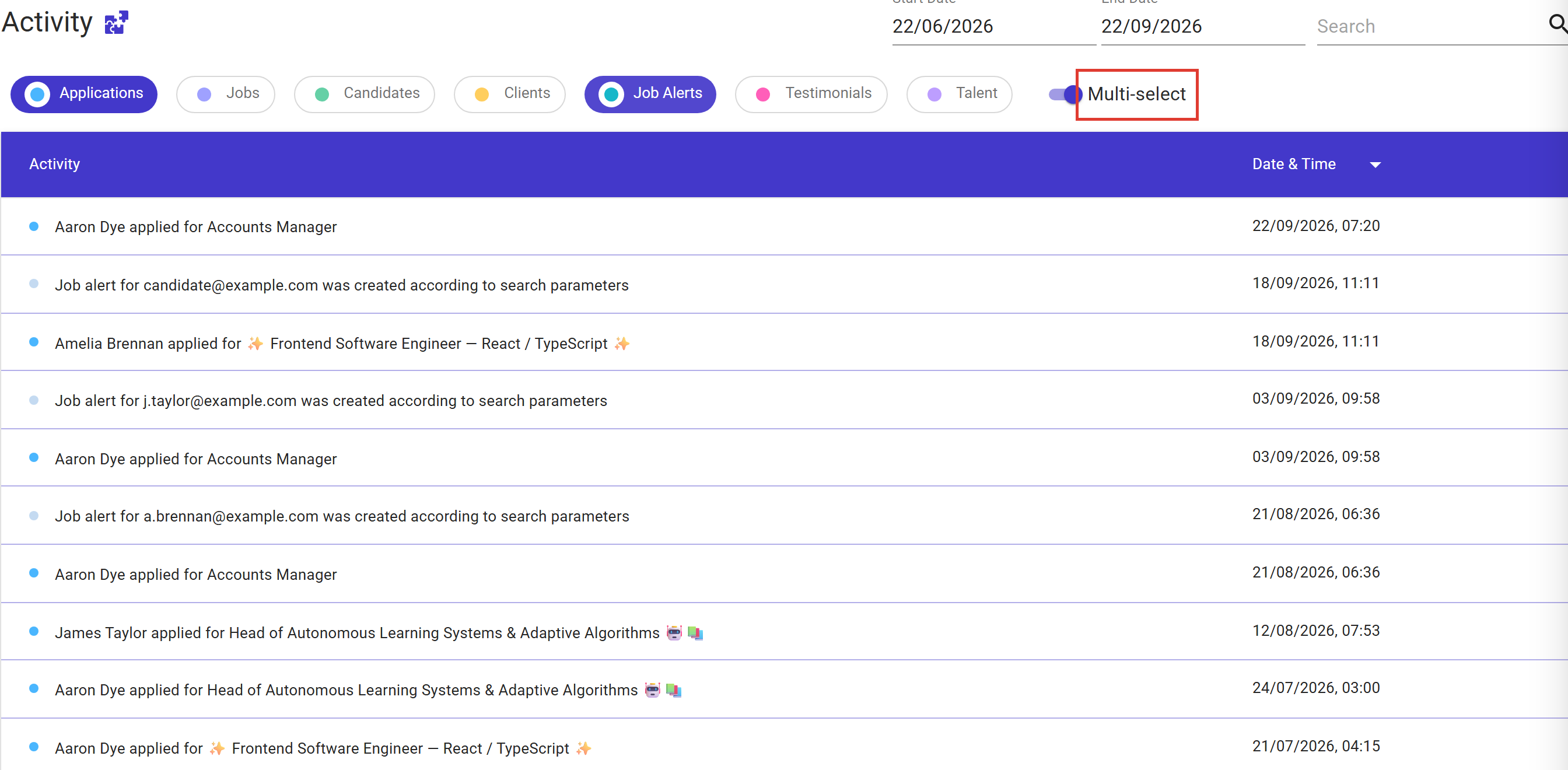
- Click a chip that is off to add it, and a chip that is on to take it away.
- Turn the switch off and you are back to one group at a time.
- Take every chip off and the list goes back to showing everything, rather than showing nothing.
Your filter is part of the page address
The chips you have chosen, and whether Multi-select is on, are stored in the page's web address. That has three useful consequences:
- Reloading keeps your view instead of resetting it.
- You can bookmark a view you check often, such as applications only.
- You can send the link to a colleague and they open exactly what you are looking at.
Your dates and your search are kept in the address too, so a link carries the whole view rather than half of it.
Dates and search
The date range and the search box sit above the chips and work alongside them: the chips choose what kind of entry you see, the dates and search narrow it further. Clearing a date widens the range back to the earliest or latest date the page allows, rather than emptying the list.
Idea: If you check the same thing every Monday, build it once and bookmark it: pick your chips, set the dates, then save the page. Opening the bookmark puts you straight back in the same view.Final Notes
Nothing here needs setting up, and nothing about the entries themselves has changed: the same information is on both pages, it is simply quicker to get to. If a chip you expect is missing, it is almost always because that feature is not switched on for your company, and your Company Admin can tell you which ones are.
Other articles you might be interested in: Managing your email notifications | Refari Roles
Was this article helpful?
That’s Great!
Thank you for your feedback
Sorry! We couldn't be helpful
Thank you for your feedback
Feedback sent
We appreciate your effort and will try to fix the article