This article explains the Refari Insights email: when it arrives, who receives it, and what every section and metric inside it means, so you can use it as a quick health-check on how your Job Board and your team are performing.
When it arrives and who receives it
Refari sends an Insights email at three regular intervals, each summarising a different window of activity:
- Weekly: covers the previous 7 days.
- Monthly: covers the previous calendar month.
- Quarterly: covers the previous quarter.
Every email is headed with the period it covers and the exact date range, so you always know which days the figures relate to. The Insights email is sent to the Company Admins and Company Managers on your account.
Note: If there was no activity at all on your account during the period, that email is skipped. So a missing email simply means it was a very quiet week, month, or quarter.
How to read the numbers
In the metric tables, each figure is shown twice: a Total for the current period, and a Change against the previous comparable period (this week against the week before, this month against the month before, and so on). The Change is colour-coded, green when you are up on last time and red when you are down, so you can see your direction of travel at a glance.
Top Recruiter
At the top of the email, the Top Recruiter section spotlights the standout performer on your team for the period. It shows their photo, their name, and three headline figures: Traffic Driven to Website, 5 Star Ratings Achieved and Candidate Progressions. The winner is decided by a points-weighted blend of those three activities, not by any single one of them.
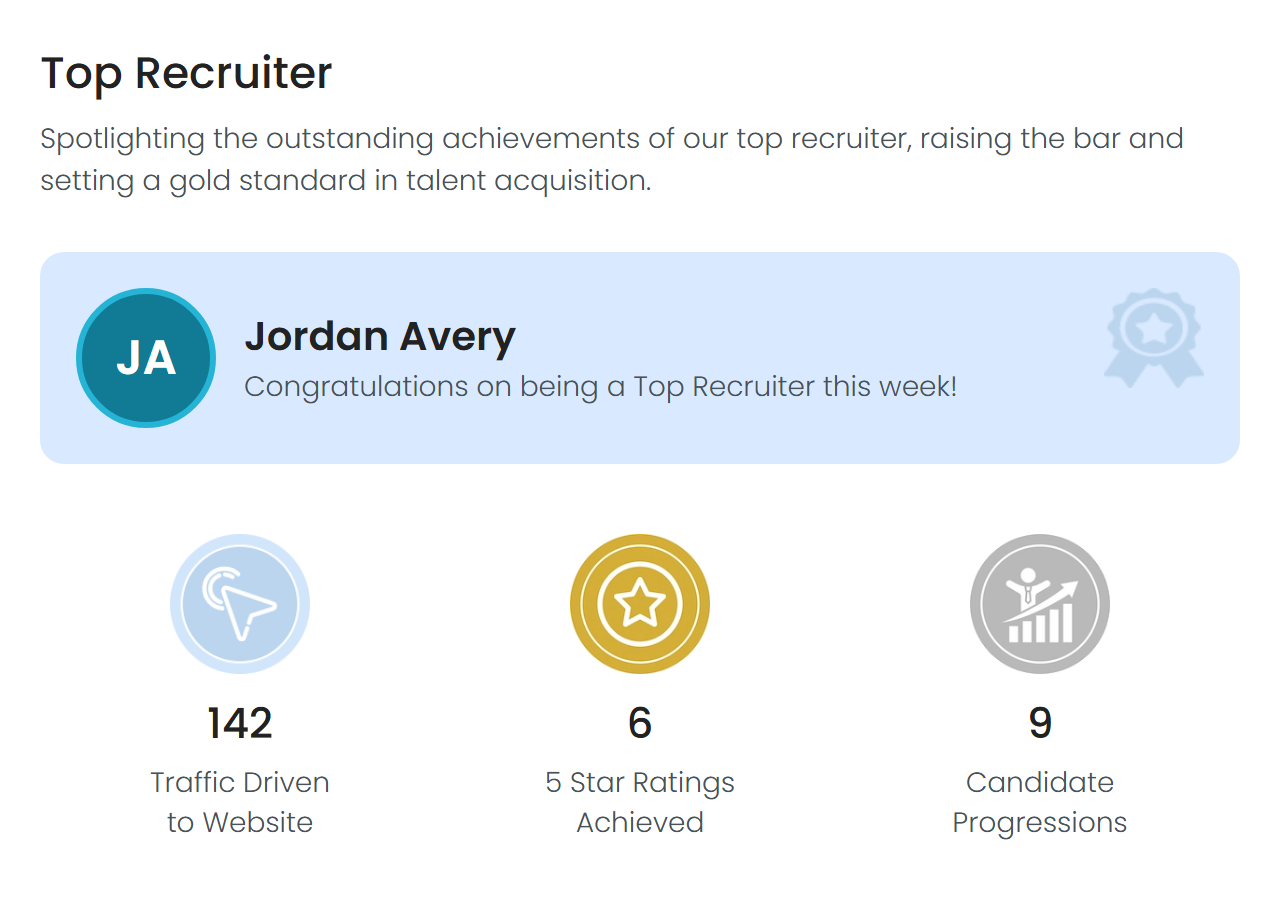
Idea: Want the full breakdown of how the winner is calculated, including what happens with a tie? See How is the Top Recruiter worked out?
Top Contributions
Below the Top Recruiter, the Top Contributions section recognises the single biggest contributor in each individual area for the period:
- Website Traffic Generated: the team member who drove the most clicks back to your website.
- 5 Star Ratings Achieved: the team member who received the most TopRec ratings.
- Candidate Progressions Completed: the team member who progressed the most candidates.
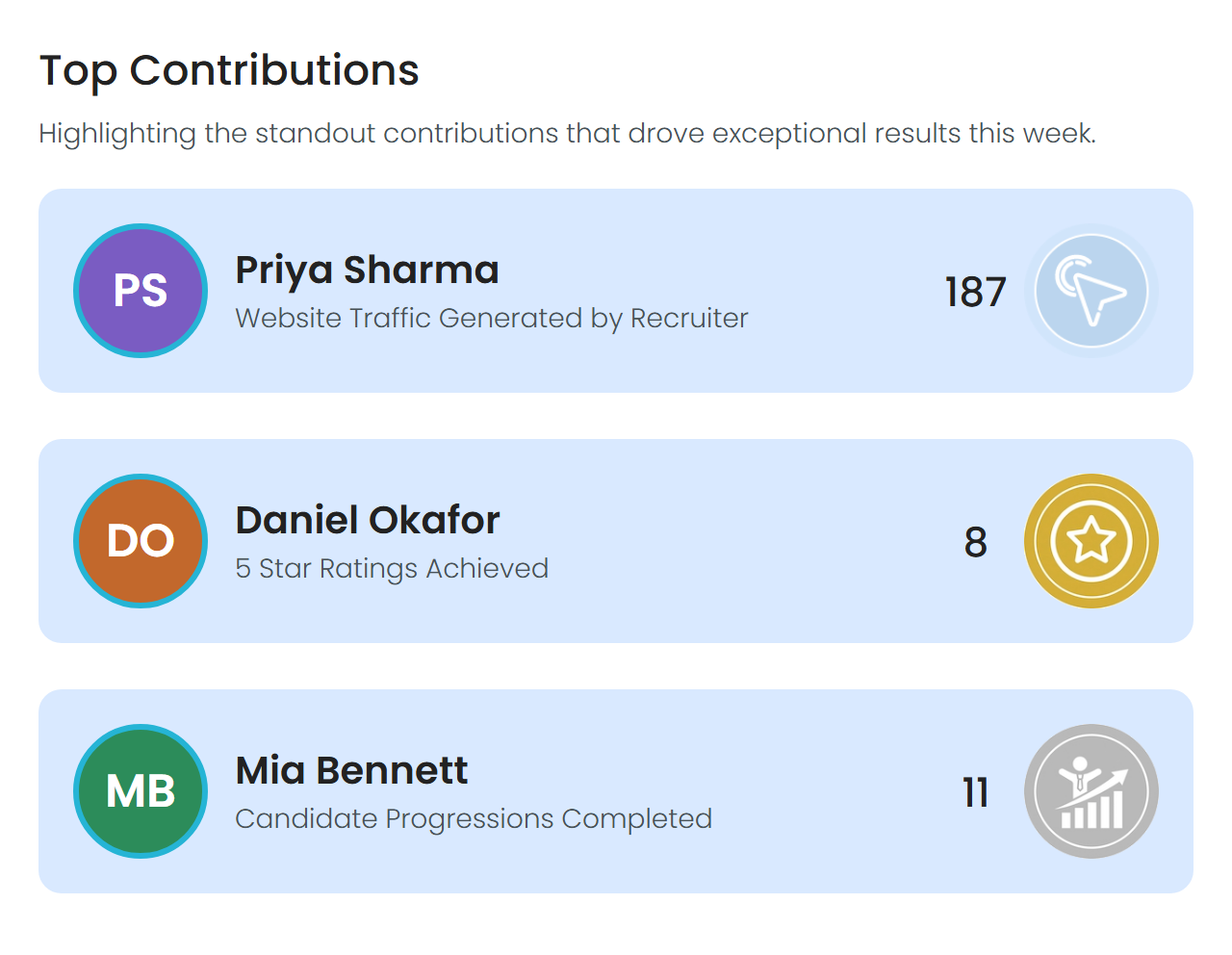
Where Top Recruiter blends all three activities into one overall score, Top Contributions recognises whoever led each one outright.
Job Board Metrics
This section shows how your Job Board and your job adverts are performing over the period.
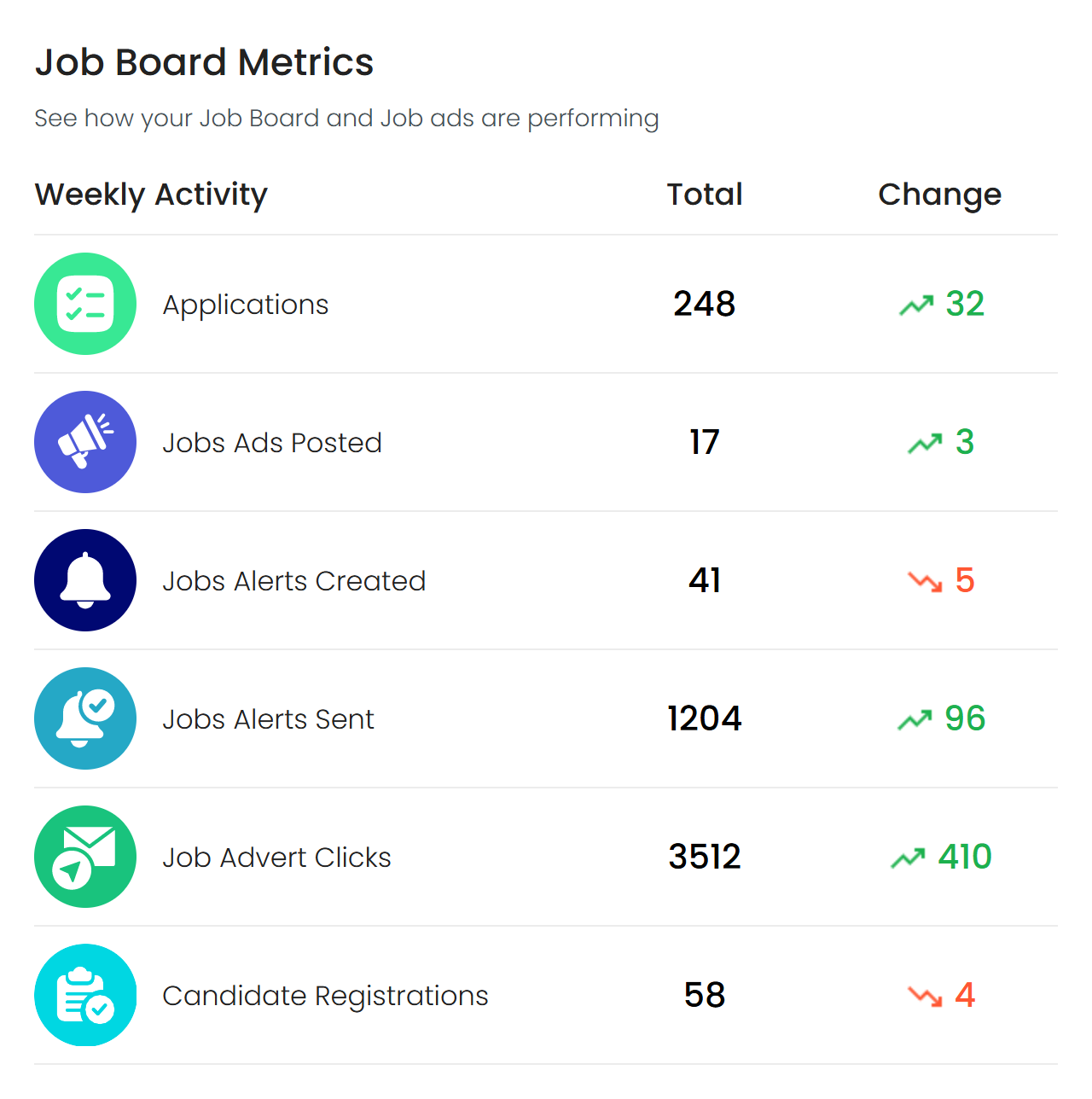
| Metric | What it measures |
|---|---|
| Applications | The number of unique applications your Job Board generated. |
| Job Ads Posted | The number of job adverts posted to your Job Board. |
| Job Alerts Created | Job Alerts your team suggested that were accepted, plus Job Alerts candidates set up for themselves. |
| Job Alerts Sent | The number of Job Alerts sent out to candidates. |
| Job Advert Clicks | The number of times your job adverts were clicked, whether from the Job Board, a Job Alert, your XML feed, or a socialisation. |
| Candidate Registrations | The number of candidates who completed registration on your Job Board. |
Recruiter Metrics
This section shows what your team achieved together over the period.
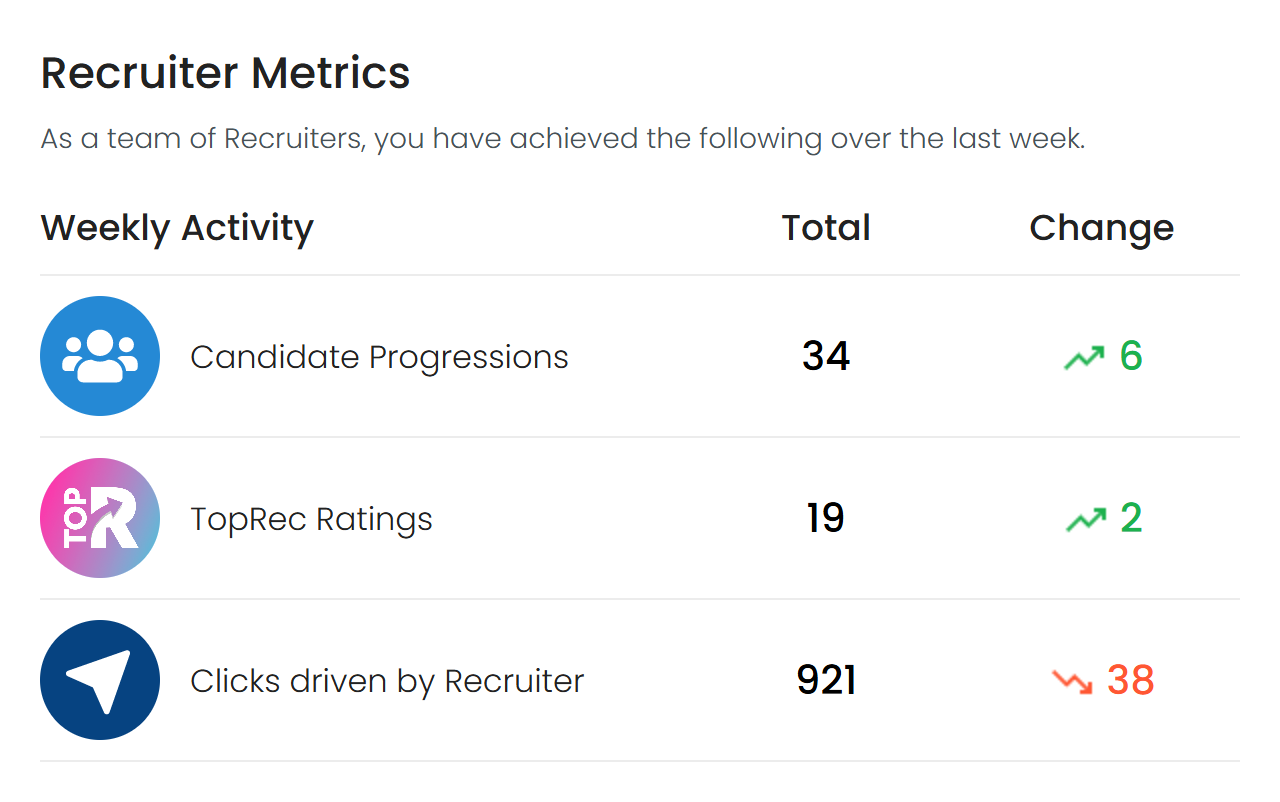
| Metric | What it measures |
|---|---|
| Candidate Progressions | The number of times your team moved a candidate forward to a new stage in your hiring process. |
| TopRec Ratings | The total verified TopRec ratings your team received. |
| Clicks Driven by Recruiter | The unique clicks your team drove back to your website through their sharing, such as socialisations and Job Alerts. |
Final Notes
Treat the Insights email as a quick snapshot. For the full detail behind any figure, head into your Refari dashboard, where you can explore the same activity in more depth. If you think we are missing a metric that would be useful to you, let us know.
Other articles you might be interested in: How is the Top Recruiter worked out? | Achievement Badges: What are they for? How do they help?
Was this article helpful?
That’s Great!
Thank you for your feedback
Sorry! We couldn't be helpful
Thank you for your feedback
Feedback sent
We appreciate your effort and will try to fix the article