This article explains how to have your candidate emails sent from your own email address instead of Refari's default, so they look like they have come straight from your team. By default, the automated emails Refari sends on your behalf (your transactional emails, the system emails such as application confirmations and alerts) come from no-reply@refari.co. With a little setup, we can change this so they come from an address you choose.
Sending emails from your own address is part of the White-Label Plan ↗, which removes Refari branding across your emails, website and job board.
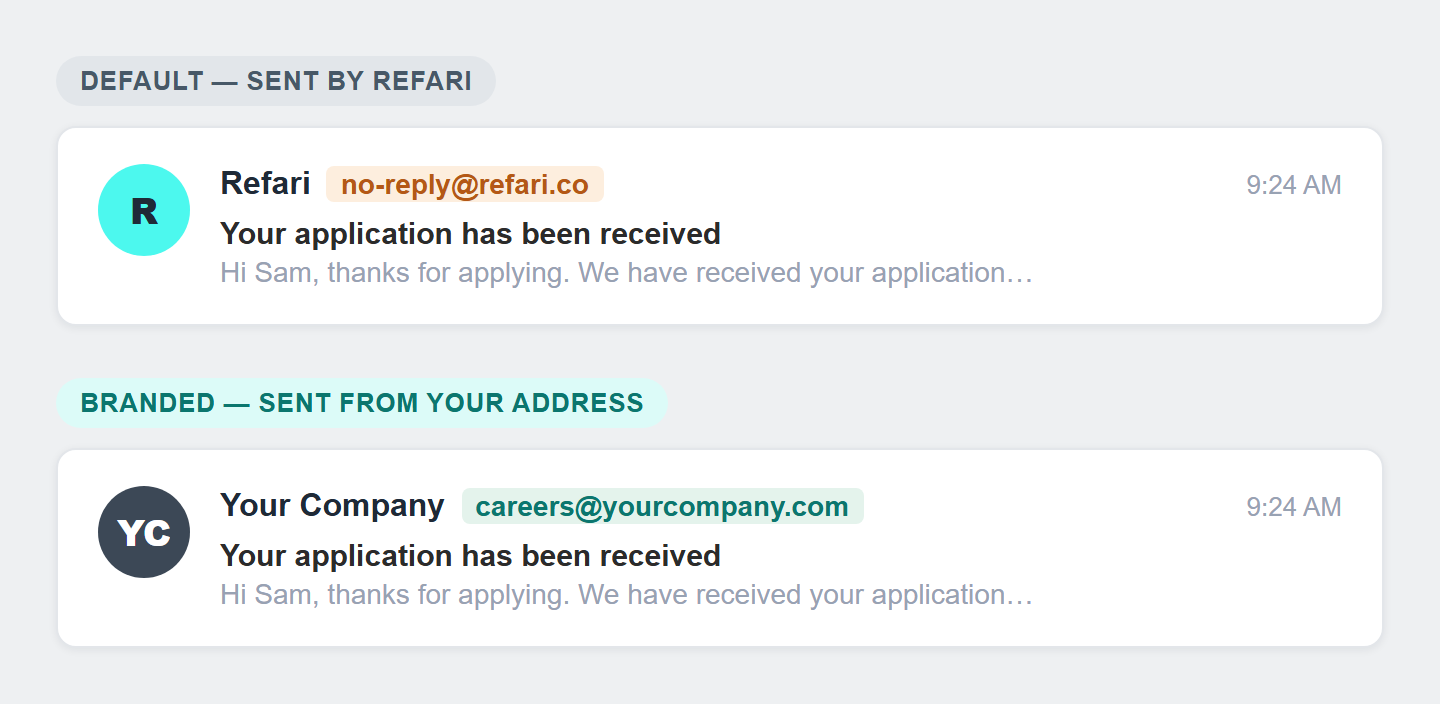
What this changes
Once this is set up, every transactional email your candidates and referrers receive shows your name and your chosen email address in the “from” line, rather than Refari. Nothing else about the emails changes, only who they appear to come from.
Idea: Choose a real, monitored inbox (for example careers@yourcompany.com) rather than a no-reply address. That way, if a candidate replies to one of these emails, their reply lands with your team instead of disappearing.How to set it up
This is set up together with our team, it is not a switch you turn on yourself in your dashboard. There are three short steps:
Step 1: Let us know the address you want to use
Contact Refari support and tell us the email address you would like your candidate emails to come from, and which provider hosts your domain (for example GoDaddy, Cloudflare or your IT team). Knowing your domain host up front lets us give you the exact instructions for the next step.
Step 2: We register your domain
We add your domain to our email system so it is registered and approved to send emails through Refari. There is nothing for you to do at this step, we handle it.
Step 3: You add one DNS record
We send you a short DNS record (an SPF record, a single line of text that tells email providers we are allowed to send on your behalf) to add at your domain host. Adding it is what stops your emails being marked as spam. The exact place to paste it differs slightly between hosts, so we will point you to the right screen. Once it is in place, we set your chosen “from” address against your company record, and your emails start arriving from you.
Note: DNS changes can take a little while to take effect (usually minutes, occasionally up to 24 hours) while they update across the internet. If your emails are still coming from the default address straight after you add the record, give it some time and then let us know if it has not switched over.What it costs
This feature is included in the White-Label Plan ↗ at $50 AUD per month, which also removes the “Powered by Refari” branding from your website and job board. Some enterprise plans include it already, so it is always worth checking with us before anything is charged.
Final Notes
This is a one-off setup. Once your domain and “from” address are in place, every future email simply comes from you, with nothing further to maintain. If you ever want to change the address, just get in touch and we will update it.
Other articles you might be interested in: The White-Label Plan
Was this article helpful?
That’s Great!
Thank you for your feedback
Sorry! We couldn't be helpful
Thank you for your feedback
Feedback sent
We appreciate your effort and will try to fix the article