This guide walks you through the quickest way to pull a fresh copy of a job advert from JobAdder into Refari, without waiting for the next scheduled sync. Use it whenever you have just updated an ad in JobAdder (title, description, location, salary, status) and you want that change to appear on your Refari job board and widgets straight away.
Note: The Refresh Job button only appears for job adverts that are sourced from JobAdder and have not been edited inside Refari. If you have edited the advert in Refari (the source chip shows "Edited in Refari"), Refari treats your Refari edits as the source of truth and the button is hidden so a sync does not overwrite them.Step 1: Update the advert in JobAdder
Open the job in JobAdder, make your change (for example, edit the description, adjust the location, or update the salary), and save it. Refari always pulls from JobAdder, so the change has to be saved on the JobAdder side first.
Step 2: Open Job Ads in your Refari dashboard
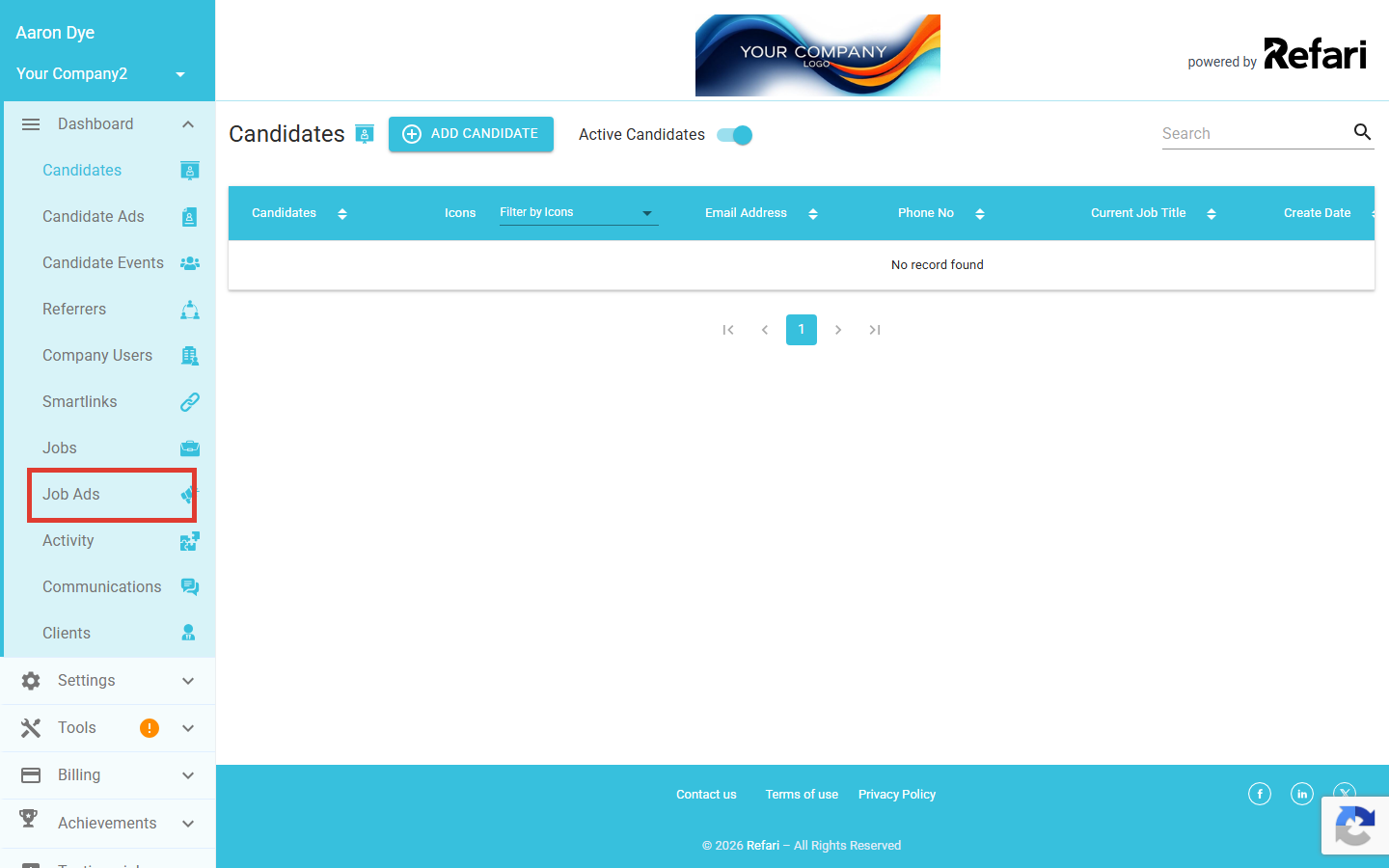
In your Refari dashboard, click Job Ads in the left-hand menu.
Step 3: Find the job advert you just updated
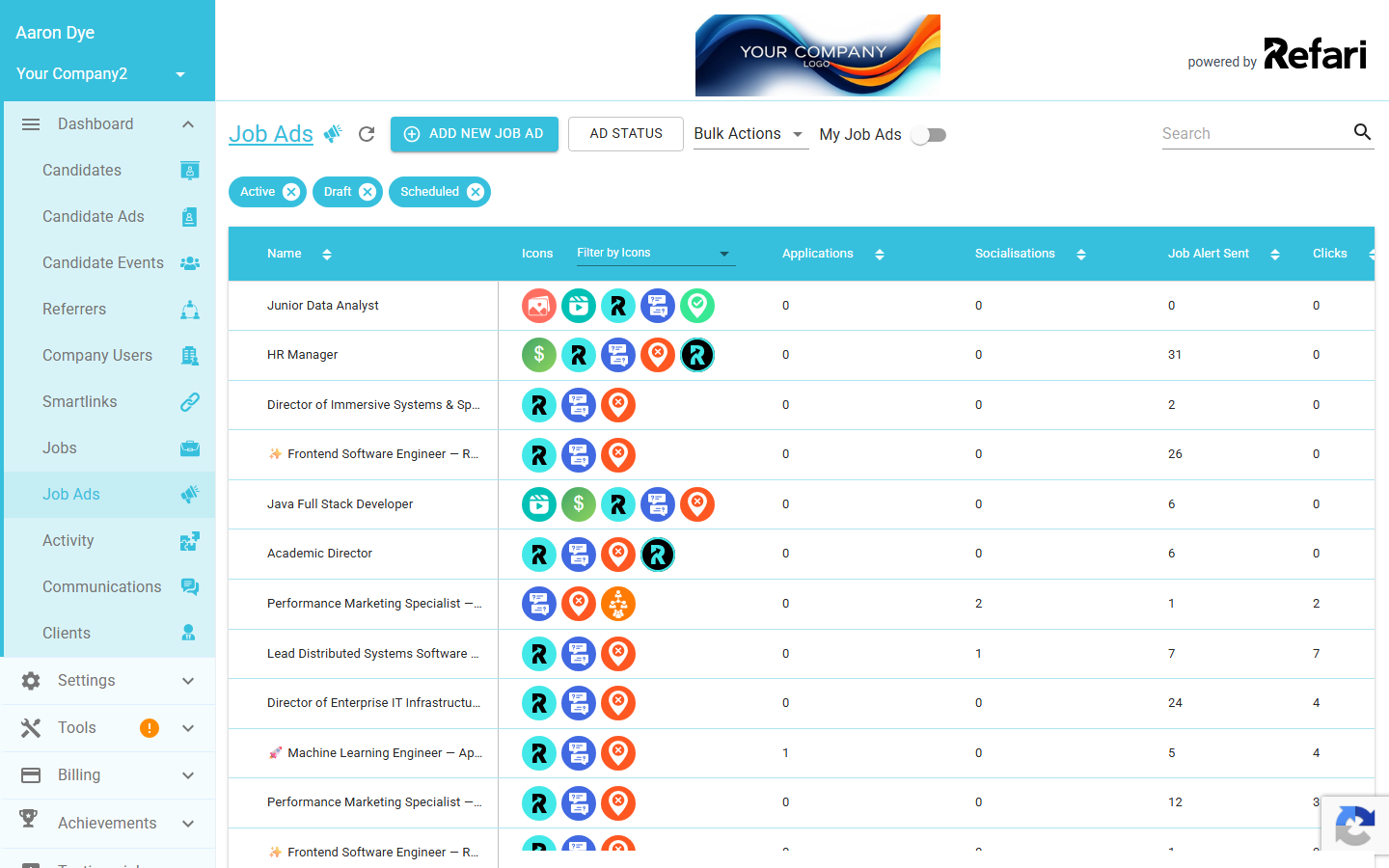
You will see a list of every job advert in your account. Use the search box at the top right if you have a lot of ads, then click the title of the advert you updated in JobAdder to open it.
Step 4: Open the job advert detail page
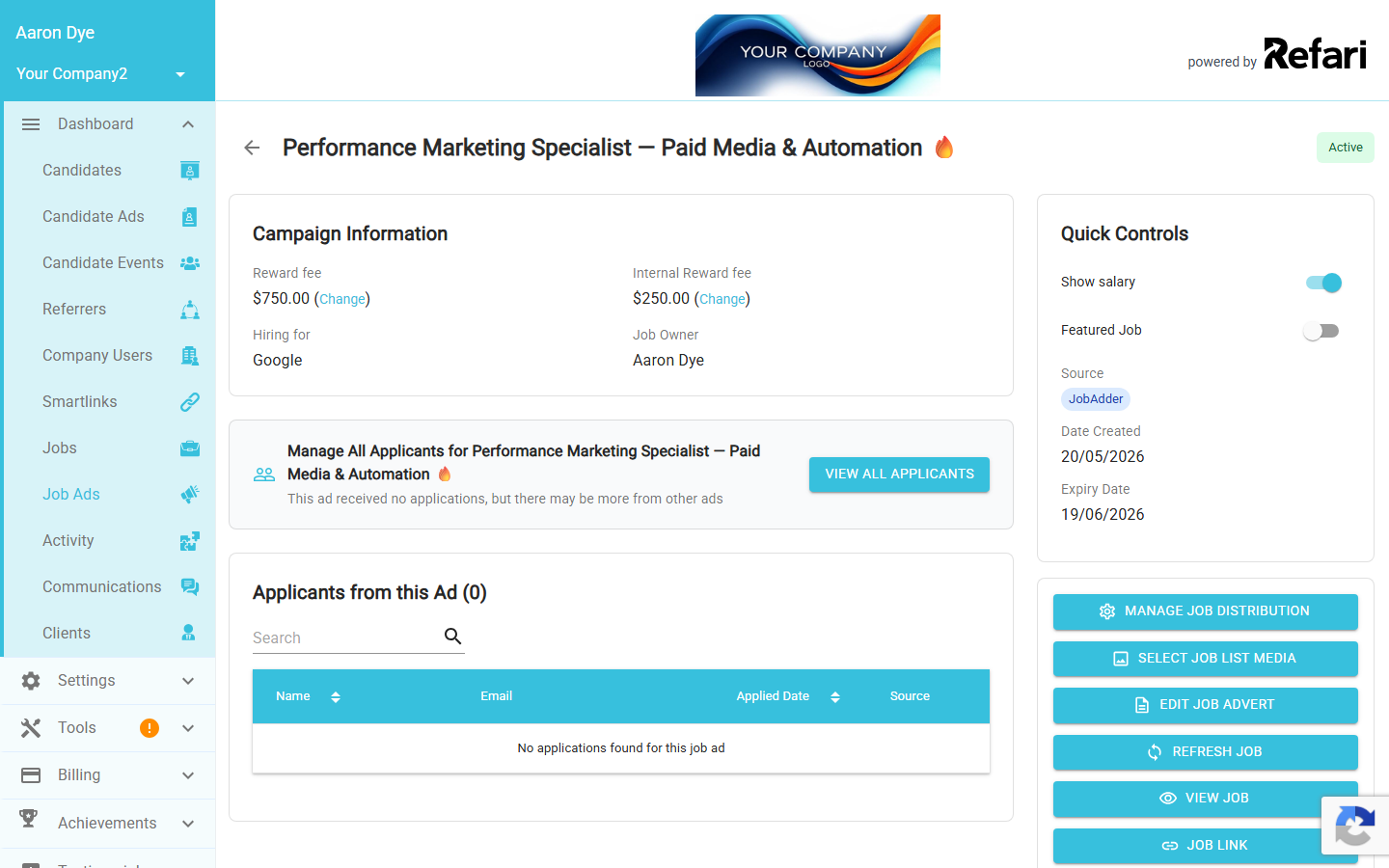
The detail page opens with campaign information on the left and a stack of action buttons on the right. Check the Source chip in the Quick Controls panel: for a JobAdder-sourced advert that has not been edited in Refari, it shows JobAdder on its own.
Step 5: Click Refresh Job
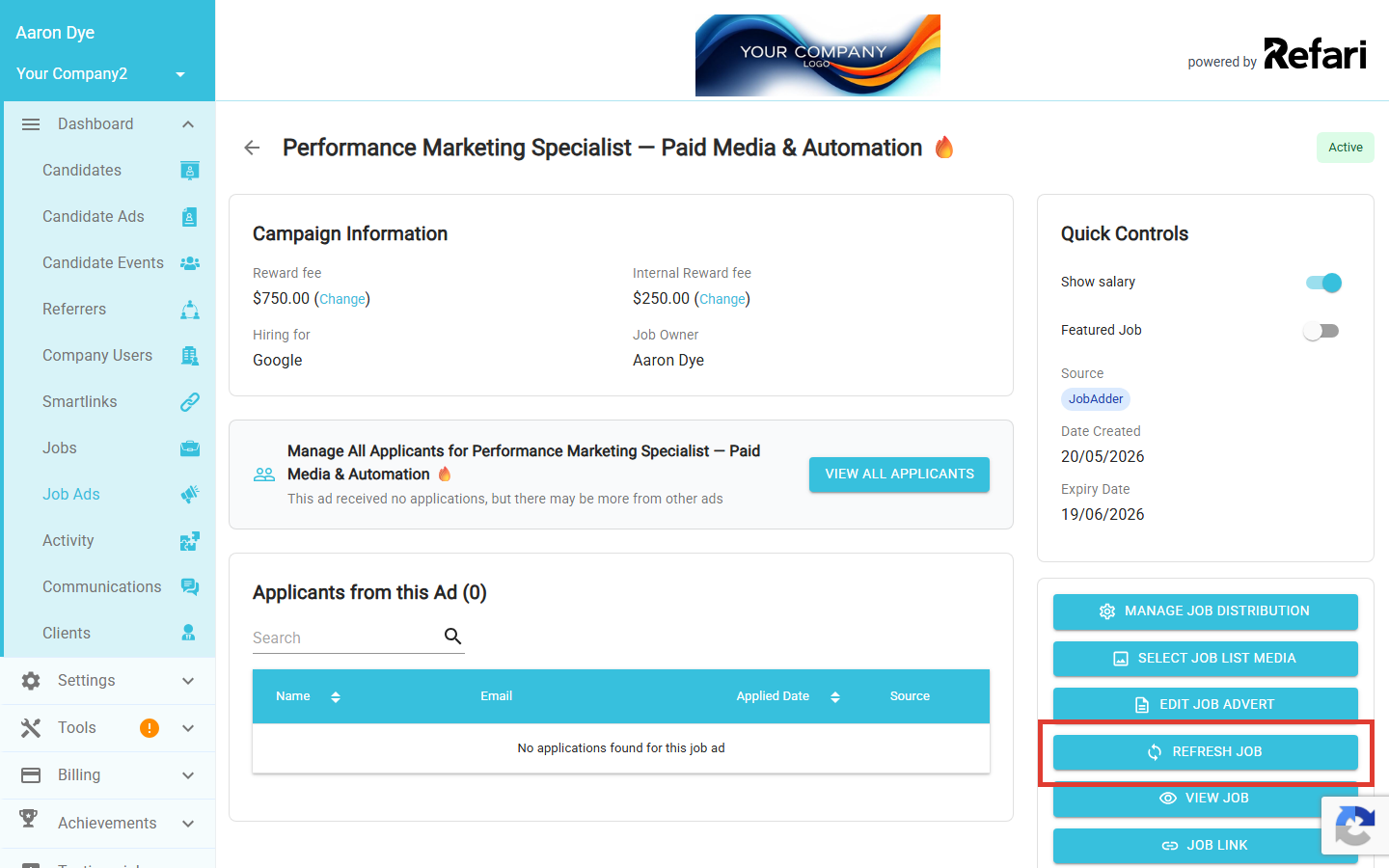
In the right-hand action stack, click Refresh Job. Refari queues a fresh pull from JobAdder for this single advert and reloads the page with the updated content a few seconds later. You will see a "Job refreshed successfully" confirmation at the bottom of the screen once it is done.
Done. Your latest JobAdder content is now live on your Refari job board and any embedded widgets. No need to wait for the next scheduled refresh.When to use this instead of waiting
Refari already synchronises with JobAdder on a regular schedule, so most JobAdder changes flow through to Refari on their own. Reach for Refresh Job when you specifically need an ad to be up to date right now, for example:
- You have just fixed a typo or a salary on a high-traffic advert and you want the correction live before the next scheduled sync.
- You have closed or filled a role in JobAdder and want it to come off your Refari job board immediately.
- A candidate or hiring manager has just flagged outdated content on a specific ad and you want to confirm Refari is showing the current version.
Idea: Reach for Refresh Job when there is a specific advert you need up to date now, rather than as a routine habit. The scheduled sync already keeps everything current in the background, and using Refresh Job on every advert one by one is slower than letting the schedule do its work.Final Notes
If the advert still looks out of date after a refresh, double-check that your change was saved in JobAdder and that the source chip on the Refari ad still reads JobAdder (not "Edited in Refari"). If the chip shows the ad has been edited in Refari, the JobAdder copy is no longer the source of truth for that advert, so a refresh will not change it. If anything still looks off, get in touch with the Refari team and we will help diagnose it.
Other articles you might be interested in: How Often Does Refari Synchronise Information with JobAdder?
Was this article helpful?
That’s Great!
Thank you for your feedback
Sorry! We couldn't be helpful
Thank you for your feedback
Feedback sent
We appreciate your effort and will try to fix the article