This article explains why jobs often don't show in Google for Jobs and gives you a checklist to find the cause. Google lists a job in its job search results only when it can read that job on a page of its own, marked up with JobPosting structured data, and with the key details (title, description, date posted, employer and location) filled in. The most common reasons a recruiter's jobs are missing are jobs shown inside an iframe, missing or broken markup, pages Google is blocked from, unclear locations and expired jobs left online.
What is Google for Jobs?
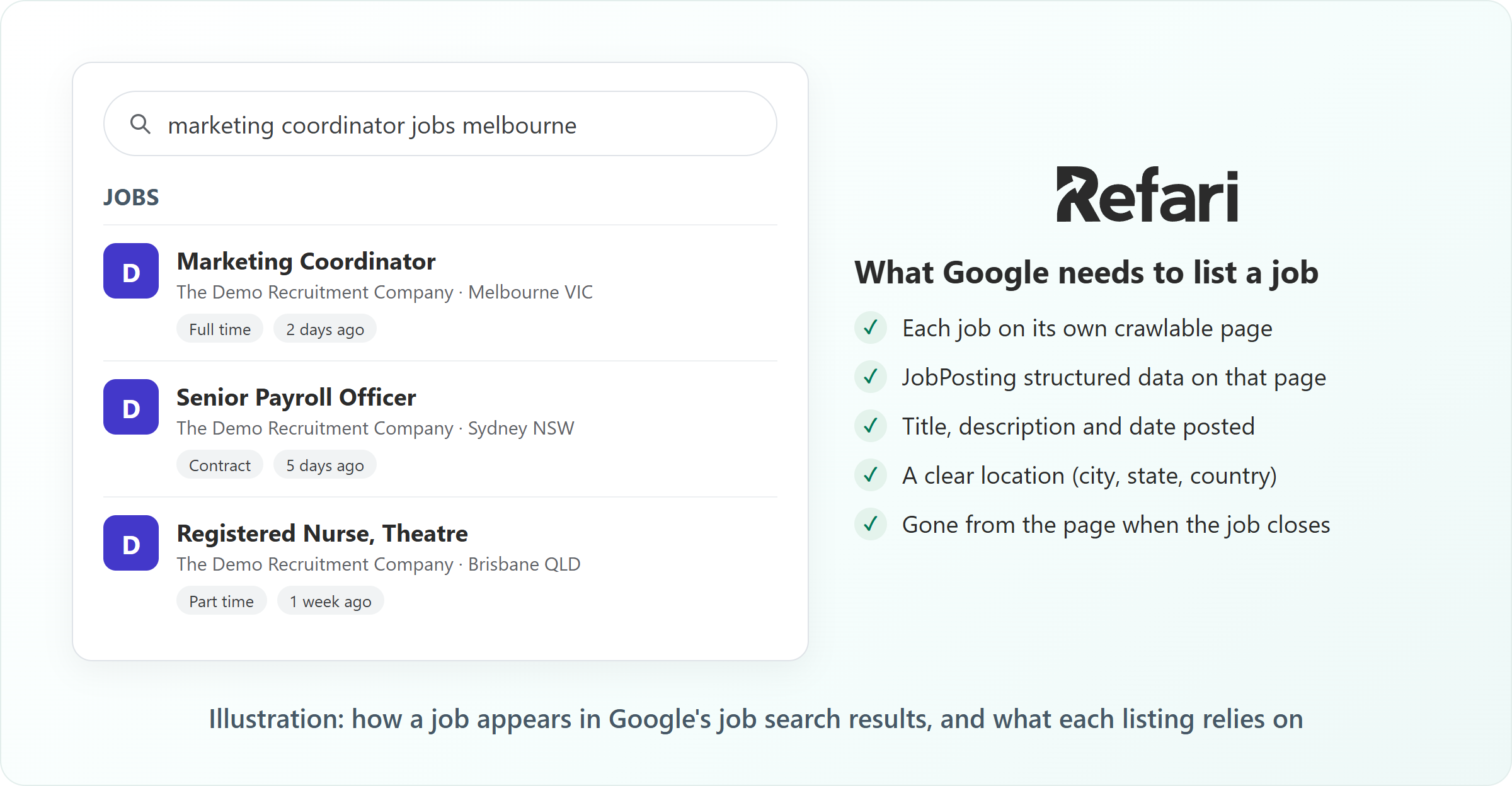
Google for Jobs is the jobs panel Google shows when someone searches for work, for example "marketing coordinator jobs melbourne". Candidates can filter it by location, job type and date posted, and click through to the job to apply. It is free: Google does not charge to list a job there.
Google does not take submissions for it. Instead it reads jobs from websites, using structured data: a small block of code on a job's page, invisible to visitors, that labels the job's title, location, salary and so on in a standard format called JobPosting. If that block is missing, or Google cannot reach the page, the job will not appear.
What Google needs before it will list a job
Google's job posting guidelines boil down to this:
| Requirement | What it means in practice |
|---|---|
| A page per job | Each job has its own web address that Google can open, not just a list of jobs on one page. |
| JobPosting structured data | The job's page carries the JobPosting markup, describing that one job. |
| Required details | Title, full description, date posted, the hiring organisation and the job location must all be in the markup. |
| Helpful extras | Closing date, job type (full time, contract and so on) and salary are recommended, and help the job show in filtered searches. |
| A page Google may index | The page is public, not marked "noindex", not blocked by the site's robots.txt and not behind a login. |
| Current jobs only | When a job closes, its page or markup comes down, or its closing date shows it has ended. |
Common reasons jobs are not showing in Google for Jobs
Work through these in order. The first three cause most cases.
- Your jobs sit inside an iframe on your website
- The jobs have no job markup, or the markup has errors
- Each job does not have its own page
- Google is blocked from the page
- The location is missing or unclear
- Expired jobs are left up
- Google has not visited the page yet
1. Your jobs sit inside an iframe on your website
An iframe is a window on your page that displays content from another website, for example an ATS careers page embedded in your own "Jobs" page. It works well for showing jobs to visitors. For search, though, Google credits framed content to the site the frame comes from, not to your domain. Any Google for Jobs listing (and the search traffic) goes to that other site, and if that site does not mark up its jobs, nobody gets the listing.
How to check: on your jobs page, right-click a job title. If your browser offers "View frame source" or similar, the jobs are in an iframe.
How to fix it: show jobs with a job board that runs on your own pages instead. If you use Loxo, the guide to adding Loxo jobs to your website without an iframe ↗ walks through the options platform by platform.
2. The jobs have no job markup, or the markup has errors
Many website themes and plugins show jobs perfectly well but never add JobPosting structured data. Others add it with a required field missing, such as the location or the date posted, so Google ignores it.
How to check: paste a job's web address into Google's Rich Results Test. It tells you whether it found a job posting and lists any errors (which stop the job showing) and warnings (which only make it less complete).
3. Each job does not have its own page
Google lists jobs from job detail pages, not from a page that lists many jobs. If a job only exists as a pop-up or a section of your main careers page, without an address of its own that loads the job directly, Google has nothing to list. Job boards that draw jobs in the browser with JavaScript can also be slow for Google to read, because Google has to run the page before it sees the job.
How to check: open a job, copy the address from your browser bar, paste it into a private browsing window and see whether that exact job loads.
4. Google is blocked from the page
A page marked noindex (an instruction telling search engines not to list it) or blocked in your site's robots.txt file will never appear, however good its markup. This often happens by accident: a setting left on after a website build, a staging site copied to live, or a jobs section behind a login.
How to check: in Google Search Console, paste the job's address into URL Inspection. It tells you whether the page can be indexed and, if not, why.
5. The location is missing or unclear
Google needs to know where the job is. A location of "Various", "Flexible" or just a country, or a location typed into the description but missing from the markup, can stop a job appearing or put it in the wrong searches. The fullest version gives a city, state or region, postcode and country.
Remote roles are a special case: Google expects them to be marked as remote, with the country or region candidates can work from, rather than an office address that is not real.
6. Expired jobs are left up
Google's guidelines say a job page should come down, or show the job has closed, once you stop taking applications. Leaving filled roles online with live markup frustrates candidates and is against Google's rules, which can cost you listings. Set a closing date on each job and make sure expired jobs leave your website promptly.
7. Google has not visited the page yet
A brand new job can take time to appear, because Google has to find and read the page first. A sitemap (a file listing your pages for search engines) helps Google find new jobs. Google also offers an Indexing API, a direct way for a site to tell Google a job page has been added or removed, which Google recommends for job pages. You can also ask Google to look at a single page, as the guide to requesting indexing in Google Search Console ↗ explains. None of these guarantee a listing, and Google decides how quickly it acts.
How to test whether a job can appear in Google for Jobs
- Pick one live job and copy the address of its own page.
- Run it through Google's Rich Results Test. You want to see "Job posting" detected, with no errors.
- In Google Search Console, run the same address through URL Inspection to confirm the page is allowed to be indexed. If it has not been seen yet, you can request indexing from there.
- Once Google has had time to visit your jobs, open the Job postings report in Search Console. It lists valid job pages and any with problems, so you can fix errors across all your jobs, not one at a time.
Idea: Test with a job that has been live for at least a few days. A job posted this morning may simply not have been visited yet, which tells you nothing about your setup.What Refari does for Google for Jobs
Google for Jobs comes with a Refari website, and a Refari website takes care of this checklist for you:
- Complete markup on every job, built from the job's title, description, location, work type, salary (when shown), date posted and closing date, straight from your ATS.
- A page for every job, served ready-made so Google can read it without running JavaScript, with JobPosting markup checked against Google's rules. New, changed and closed job pages are reported to Google through its Indexing API.
- On a Refari-built WordPress website, Refari's search-optimisation layer creates a search-friendly page for every job and keeps Google up to date as jobs change.
The explainer on how Refari boosts your job board's search visibility ↗ covers that last point in more detail.
Note: Refari can only mark up the jobs it receives. If a job is missing from your Refari job board altogether, fix that first, because Google cannot list a job that is not on your website.If a job is not on your Refari job board at all
When the problem is earlier in the chain, start with the guide for your ATS:
- If you use JobAdder, read the guide to why a job advert might not appear on your Refari job board ↗.
- If you use Loxo, the article on why a Loxo job isn't showing on your Refari job board ↗ lists the fields every job needs.
- If you use Atlas, see why an Atlas job isn't showing on your job board ↗, starting with the job board category.
If it still doesn't work
If a job passes the Rich Results Test, URL Inspection shows it can be indexed, and it still has not appeared after a couple of weeks, the decision is with Google: it does not list every eligible job, and it can choose another copy of the same job (for example on a job site) instead of yours. Refari customers can contact Refari support with the job's address and we will check the markup and the page for you.
Frequently asked questions
Why are my jobs not showing on Google for Jobs?
Usually because Google cannot read them as job postings on your own site. The most common causes are jobs inside an iframe, missing or broken JobPosting structured data, no page per job, a noindex setting, an unclear location or expired jobs left online. Testing one job in the Rich Results Test is the quickest way to narrow it down.
How long does it take for a job to appear in Google for Jobs?
There is no fixed time. A job that is correctly marked up can appear within days, but Google decides when it visits a page and whether it lists it. A sitemap, the Indexing API and requesting indexing in Search Console all help Google find new jobs sooner.
Do I have to pay to be in Google for Jobs?
No. Google for Jobs listings are free. What it takes is a website that presents each job the way Google expects.
Can a recruitment agency appear in Google for Jobs?
Yes. Recruitment agencies and in-house recruitment teams both appear, as long as the job is on a page Google can read with valid JobPosting structured data. Google shows the hiring organisation named in the markup.
Will posting to job sites like Jora or Indeed get my jobs into Google for Jobs?
It can, because Google also reads jobs from job sites, but the listing and the click then go to that job site. Feeds to job sites are worth having alongside your own markup, and the guide to getting your jobs on Jora automatically ↗ shows how to set one up.
New to Refari?
Refari builds recruitment websites that connect to your ATS, give every job its own page ready for Google for Jobs, and feed your roles to job sites such as Jora, Indeed and LinkedIn. To see how your jobs would look, book a demo at refari.co.
Final Notes
Google for Jobs rewards the basics done consistently: one page per job, complete details, a clear location and closed jobs taken down. Check one job end to end with the Rich Results Test and URL Inspection, fix what it finds at the source, then keep an eye on the Job postings report in Search Console.
Other articles you might be interested in: How Refari boosts your job board's search visibility | How to get your jobs on Jora automatically | Guide to Requesting Rapid Indexing in Google Search Console
Was this article helpful?
That’s Great!
Thank you for your feedback
Sorry! We couldn't be helpful
Thank you for your feedback
Feedback sent
We appreciate your effort and will try to fix the article